In the landscape of 21st-century education, the tools we give our students have changed dramatically. While the humble pencil still has its place, the keyboard has become the primary bridge between a child’s thoughts and the digital world. For school teachers, the challenge is no longer just teaching “literacy,” but ensuring that students possess the digital fluency required to express that literacy in a tech-driven world.
If you’ve noticed your students struggling to finish tasks during computer lab time or falling behind in timed assessments like NAPLAN, you aren’t alone. The missing piece of the puzzle is often a structured approach to typing lessons.
At EdAlive, we’ve spent years refining Typing Tournament Online to help educators bridge this gap. This guide explores why typing is a critical developmental milestone and how you can implement a program that your students will actually love.
The Developmental Case: Why Start Typing Lessons Early?
There is a common misconception that “digital natives”—children born into a world of tablets and smartphones—will naturally learn to type. In reality, early exposure to touchscreens often leads to the development of “hunt-and-peck” habits that are incredibly difficult to “unlearn” later in life.
1. Fine Motor Skill Refinement
Between the ages of 7 and 10, children undergo significant development in hand-eye coordination and fine motor control. Typing lessons provide a structured way to practice these skills. Unlike the broad movements of a touchscreen, touch typing requires precise, independent finger movements, which reinforces neural pathways related to dexterity.
2. Cognitive Load and Writing Quality
When a student has to look down at their fingers to find the “e” or the “r,” they are using valuable “brain power” on the physical act of input rather than the quality of their composition.
- The “Flow” State: Research shows that students who master touch typing can focus entirely on their narrative arc and vocabulary.
- The Result: A study of students using EdAlive’s Typing Tournament revealed a 37% boost in NAPLAN Writing Task results. When the keyboard becomes “invisible” to the student, their creativity flourishes.
3. Spelling and Literacy Reinforcement
Typing isn’t just about speed; it’s about patterns. As students engage in repetitive typing lessons, they begin to internalize the muscle memory of common letter combinations (like th, ing, or tion). This physical reinforcement acts as a secondary layer of spelling instruction, helping struggling readers and writers recognize word structures more intuitively.
Why Teachers Choose Typing Tournament Online
We know that a teacher’s time is a finite and precious resource. You don’t need another “task” on your to-do list; you need a tool that works autonomously while providing you with the data you need.
The Medieval Adventure: Gamification Done Right
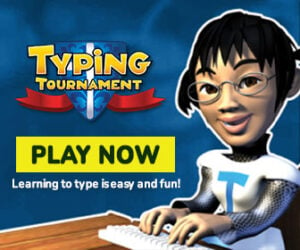
Most typing lessons feel like digital versions of a 1950s secretarial course. Typing Tournament Online flips the script by wrapping its curriculum in a high-stakes medieval quest.
- 16 Medieval Environments: Students travel from the smoky Dragon’s Cave to the grand Throne Room.
- A Hero’s Journey: To save the kingdom from the “Dark Typist,” students must complete 128 lessons, drills, and games. This narrative drive ensures that students are intrinsically motivated to practice.
The Science of “Mastery Learning”
Our program is built on the Multiple Progressions Model. We don’t just throw the whole keyboard at a student on day one.
- Home Row First: Every lesson starts with the “Home Row Trigger,” ensuring students’ fingers are in the correct position before they begin.
- Incremental Success: Students are introduced to just four new keys per level. They must demonstrate mastery in those keys before the next part of the kingdom is revealed.
- Accuracy Over Raw Speed: The program features “error-trapping” technology. It identifies mistakes in real-time and prevents students from “cheating” by just mashing keys.
Empowering Teachers with EdAlive Central
Managing a class of 30 students, each at a different skill level, can be a logistical nightmare. That’s why Typing Tournament is powered by EdAlive Central, a unified management gateway designed specifically for schools.
1. Powerful, Real-Time Reporting
Say goodbye to manual grading. With our teacher dashboard, you can see:
- Progress Tracking: Who has completed Level 1? Who is stuck in the Dragon’s Cave?
- Speed & Accuracy Trends: Identify which students need extra support and which are ready for higher speed goals (which can be unlocked up to 48+ WPM).
- Activity Logs: See exactly when a student last logged in, whether at school or at home.
2. Effortless Class Management
We’ve built in features to save you time:
- Single Sign-On (SSO): Full integration with Google Classroom and other major platforms.
- Smart Imports: Easily move students between classes or import entire year levels in seconds.
- Printable Rewards: Boost morale with automatically generated achievement certificates and 16 FREE typing tip posters for your classroom walls.
Integrating Typing Into a Crowded Curriculum
We often hear from teachers: “I want to teach typing, but when?” Here are three proven strategies for fitting typing lessons into your busy week:
- The 10-Minute Transition: Use the first 10 minutes after the lunch bell as a “quiet typing” period. It settles the class and ensures daily practice.
- Literacy Rotations: Include Typing Tournament as one of your weekly literacy centers.
- The Home-School Connection: Since the program is 100% web-based, it works on any device. Many schools set one level per week as a “homework quest,” allowing parents to see the progress firsthand.
The Verdict: A Life Skill for the 2026 Workforce
As we move further into 2026, the baseline for digital competition is higher than ever. Whether a student is destined for a career in technology, medicine, or the arts, they will spend a significant portion of their life behind a keyboard.
By providing structured typing lessons through EdAlive, you aren’t just teaching a computer skill—you are giving your students a voice that can keep up with their imagination.