



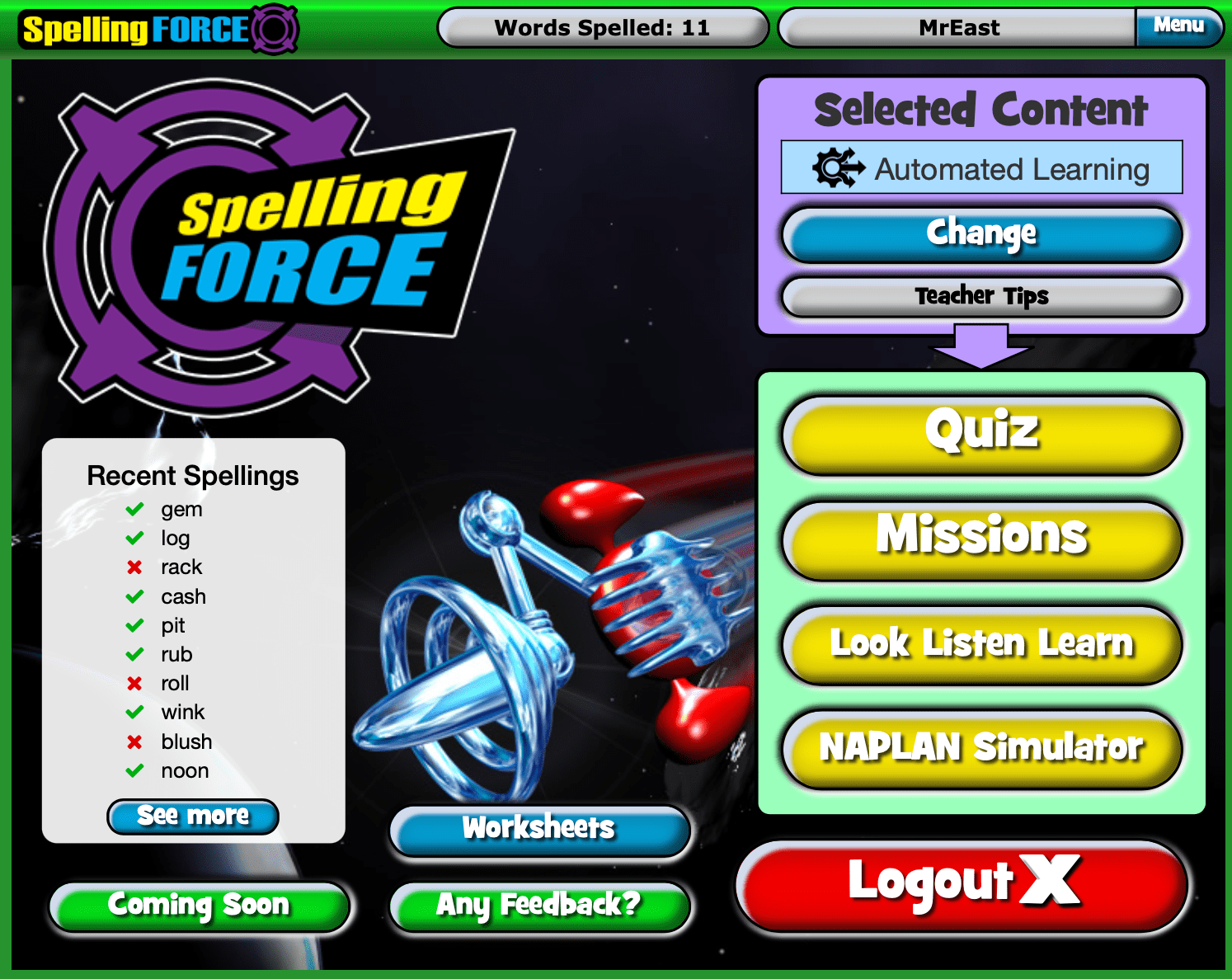
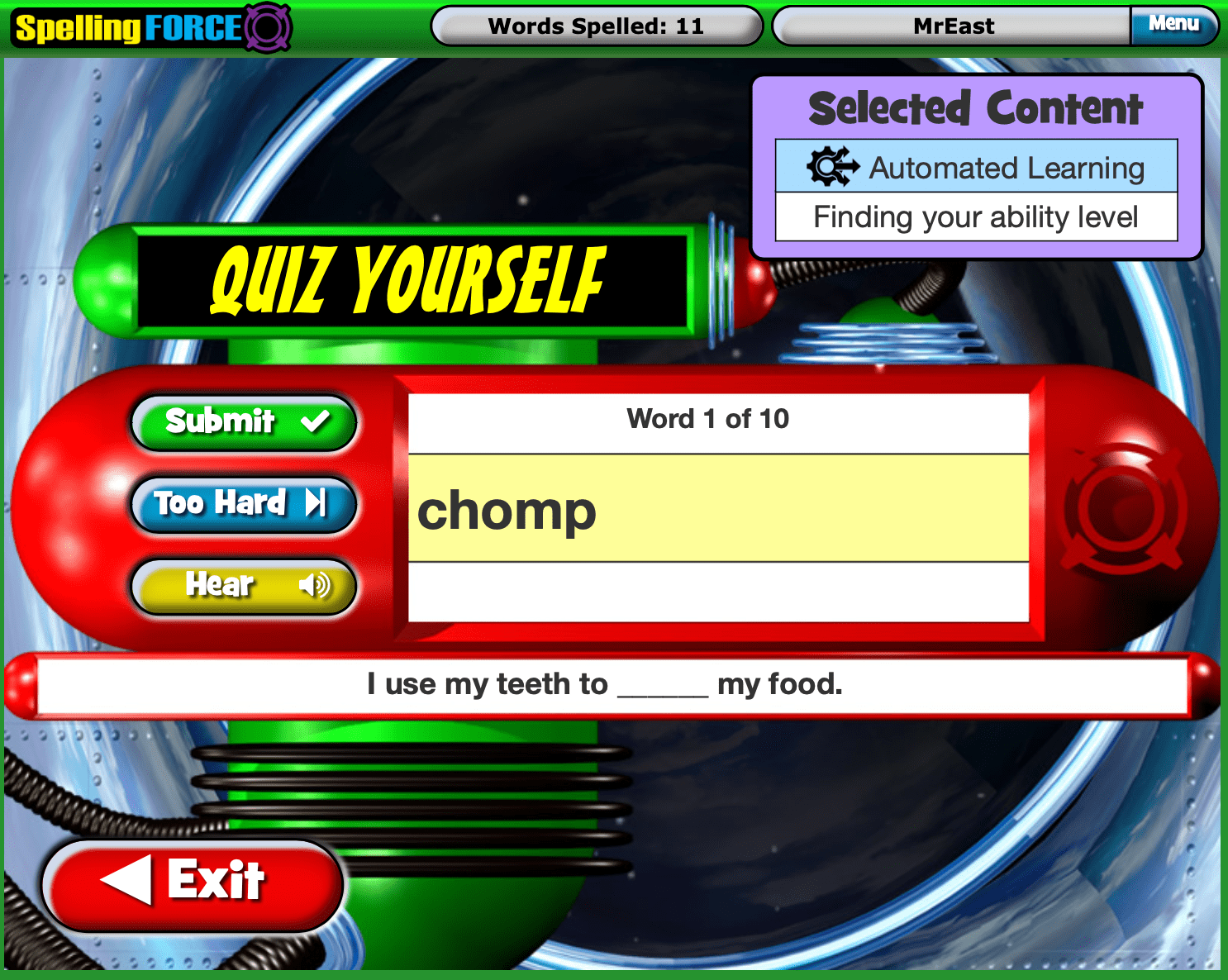
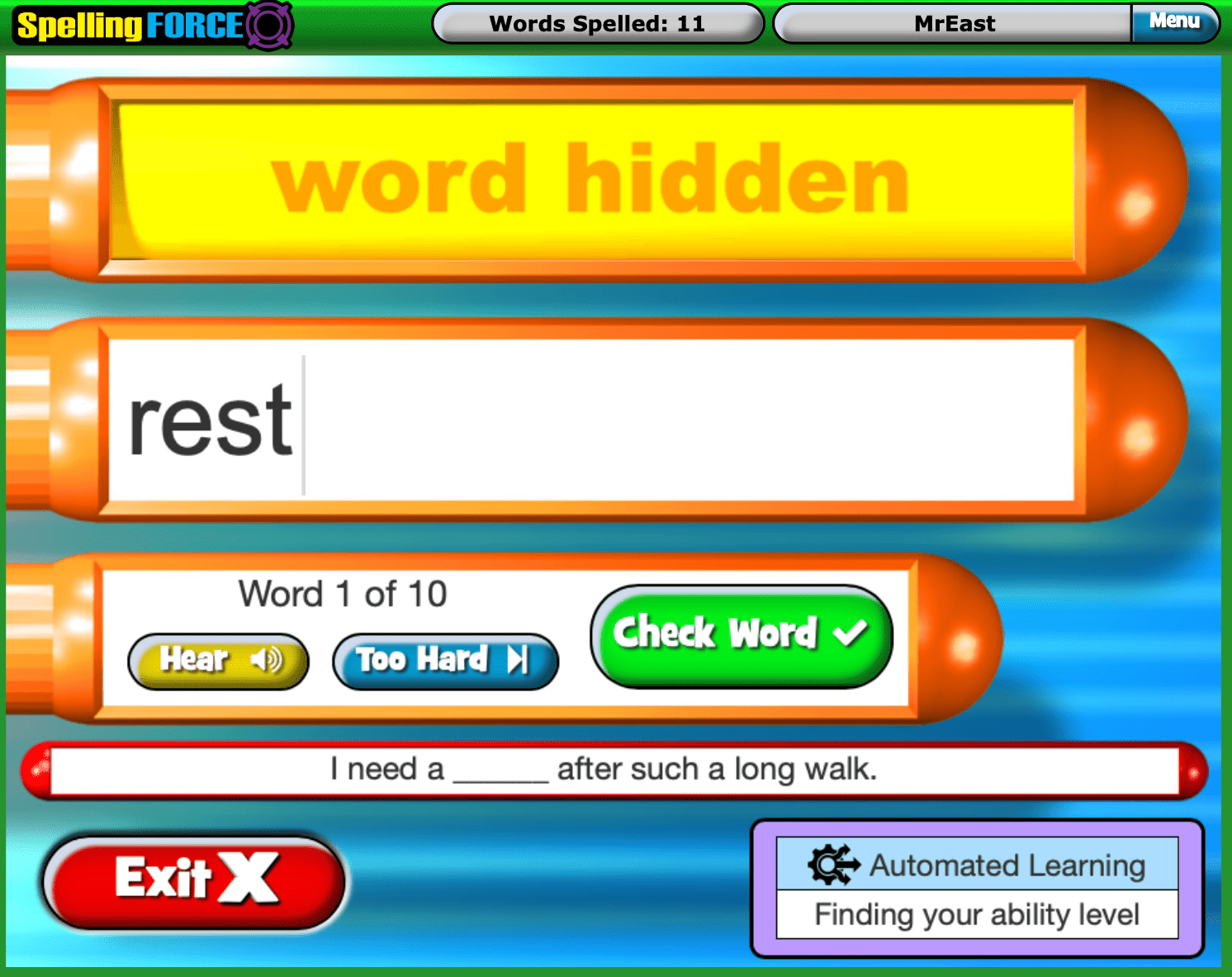





Spelling Force

Teacher Driven & Automated learning in one

Take direct control or let Spelling Force automatically manage students’ levelling and progression.

Spelling Force » Spelling Force

Register Now for a

FREE TRIAL

Boost spelling and vocabulary power anytime and anywhere there is a computer or tablet.

The ultimate spelling and vocabulary building tool

Spelling Force » Spelling Force

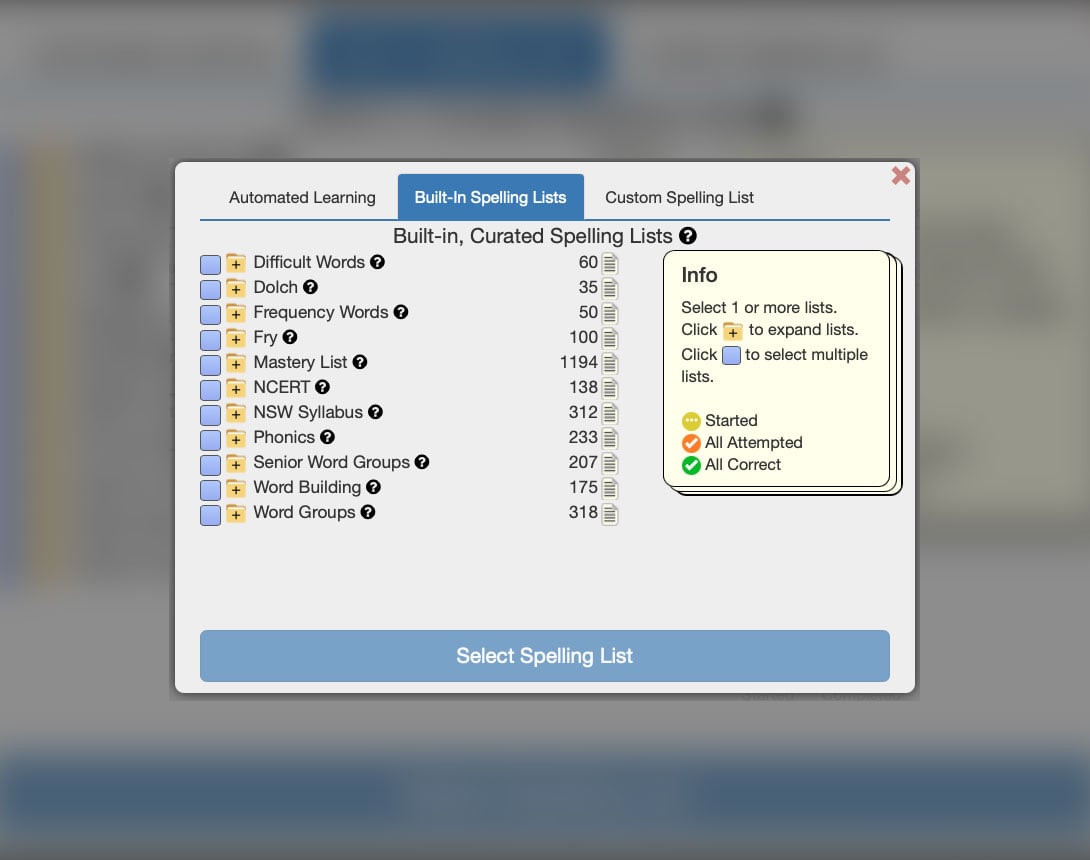
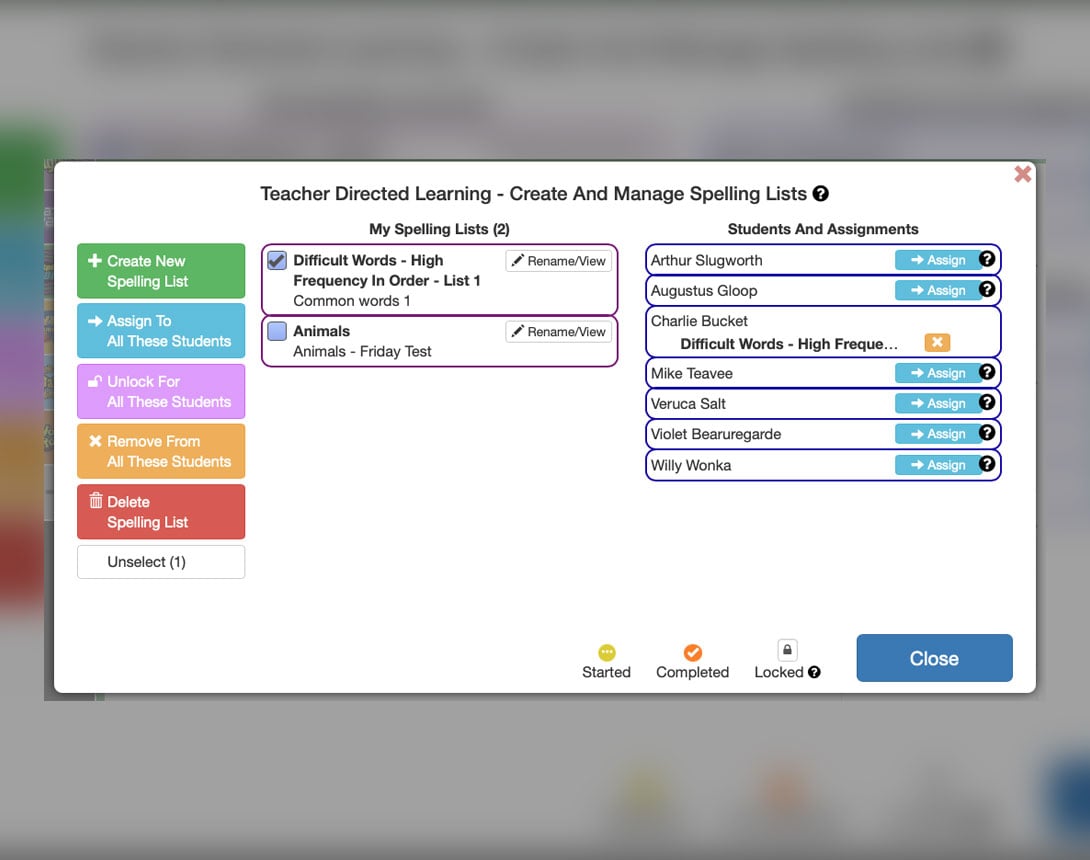
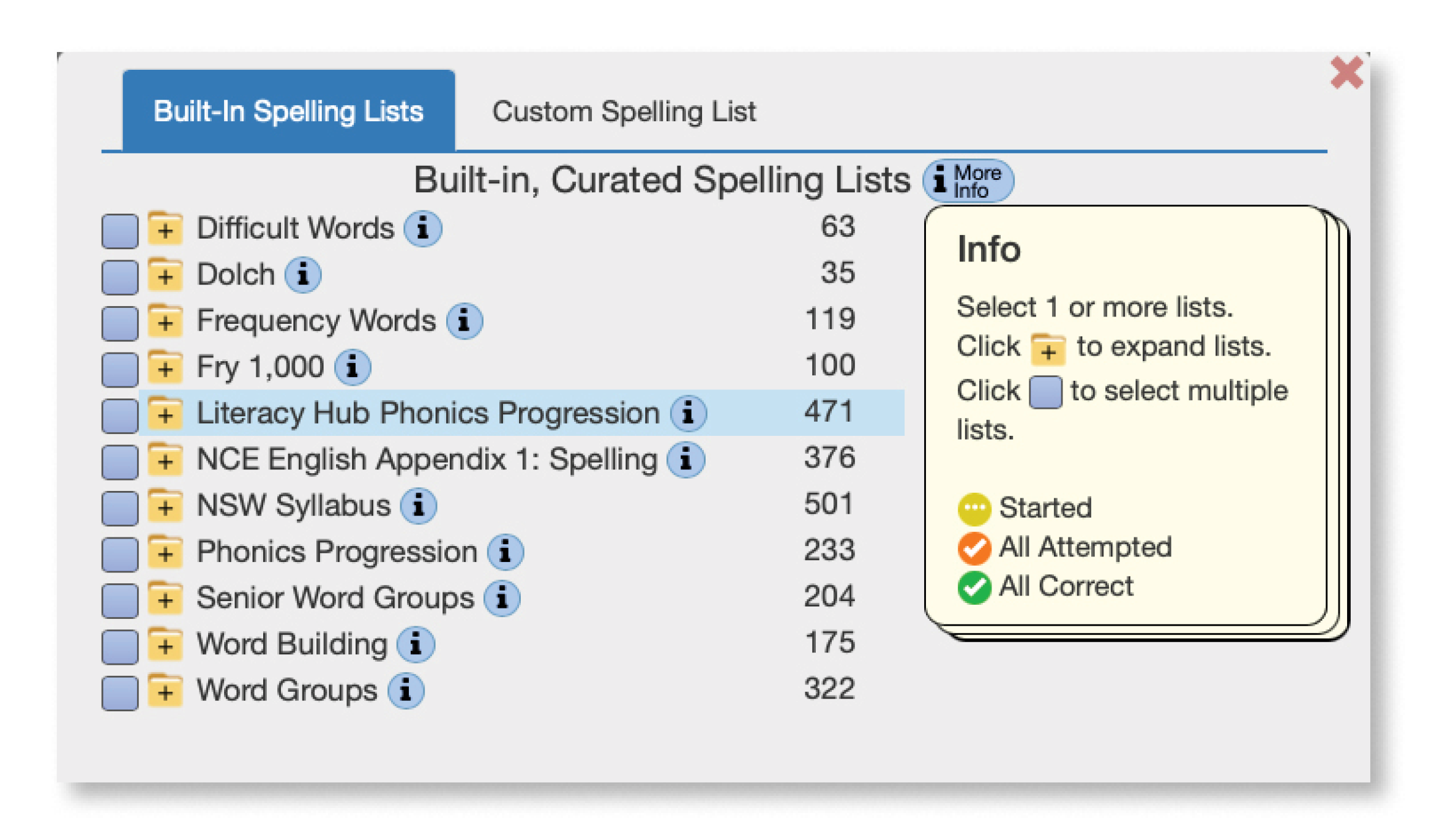
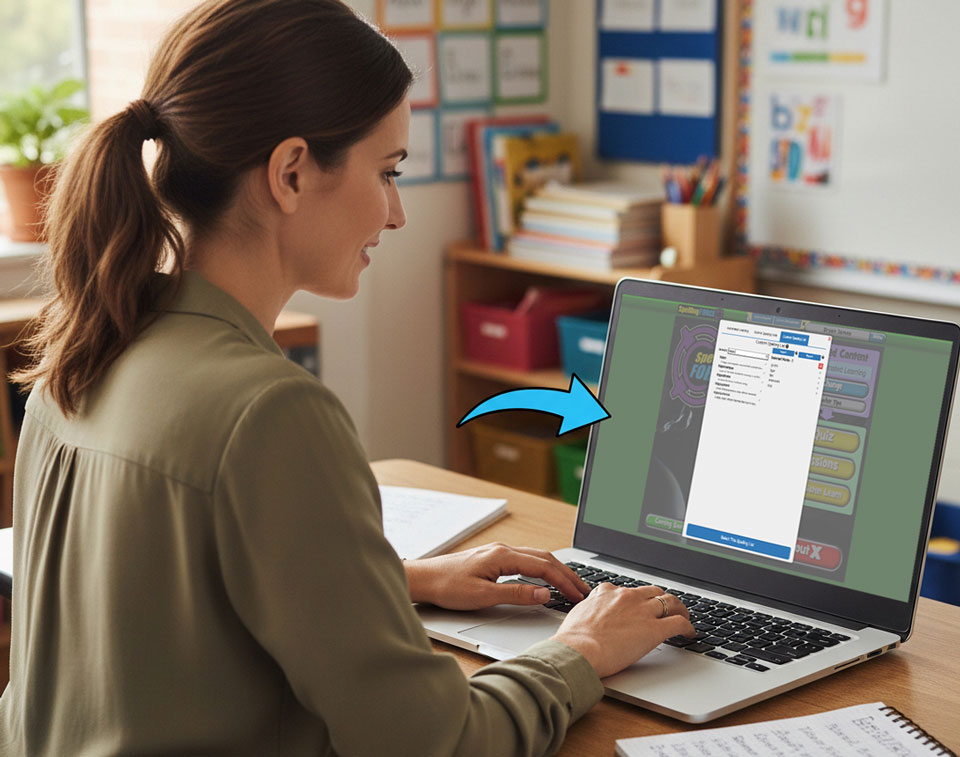
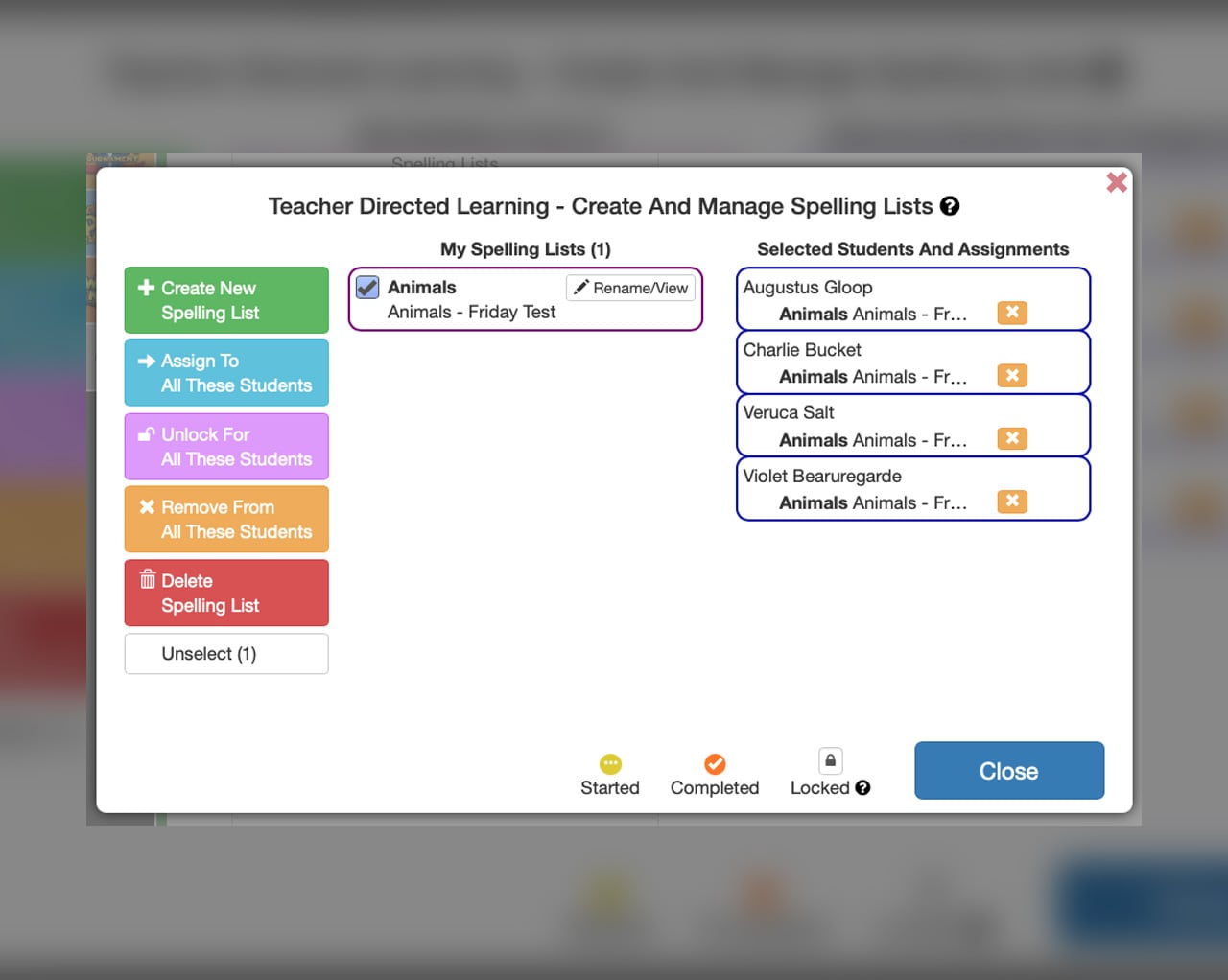
Take direct control using the Built-In Spelling Lists or your own Custom Spelling Lists or let Spelling Force automatically manage students’ levelling and progression.​

Vocabulary Building

Greatly expand students' spoken, read and spelled vocabulary

Spelling Force » Spelling Force

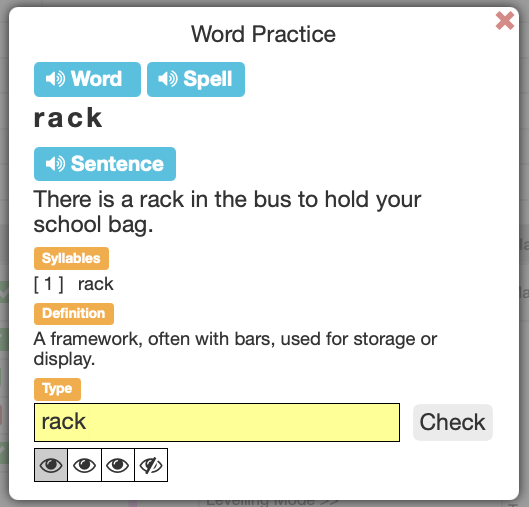
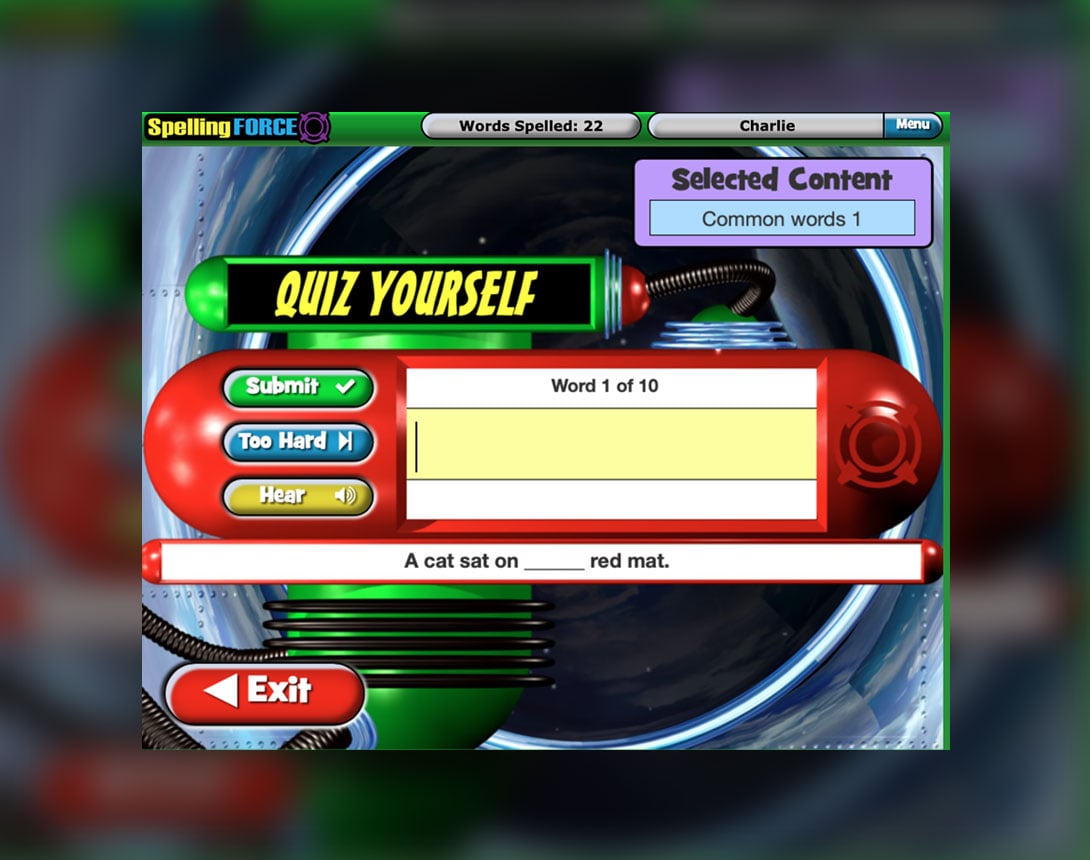
Context Sentences

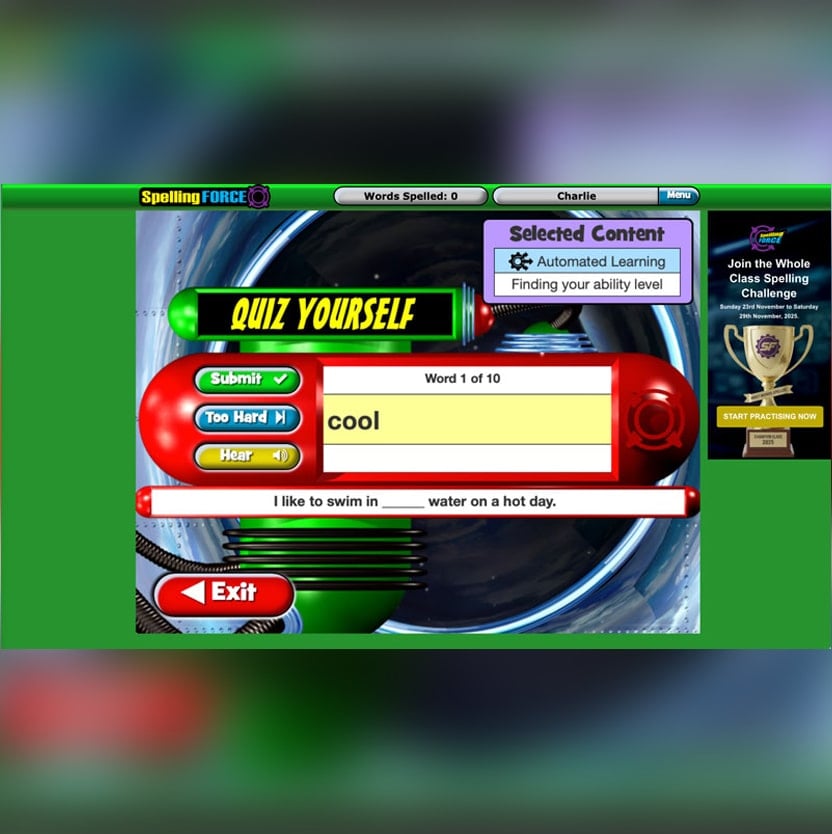
Each spelling word is used in a context sentence. Misspellings are also listed.

Dictionary support

Each spelling word is linked to a dictionary definition enabling students to discover the meaning of unfamiliar words extending their understanding and vocabulary.

Sound Support

Each spelling word and context sentence is voiced.  

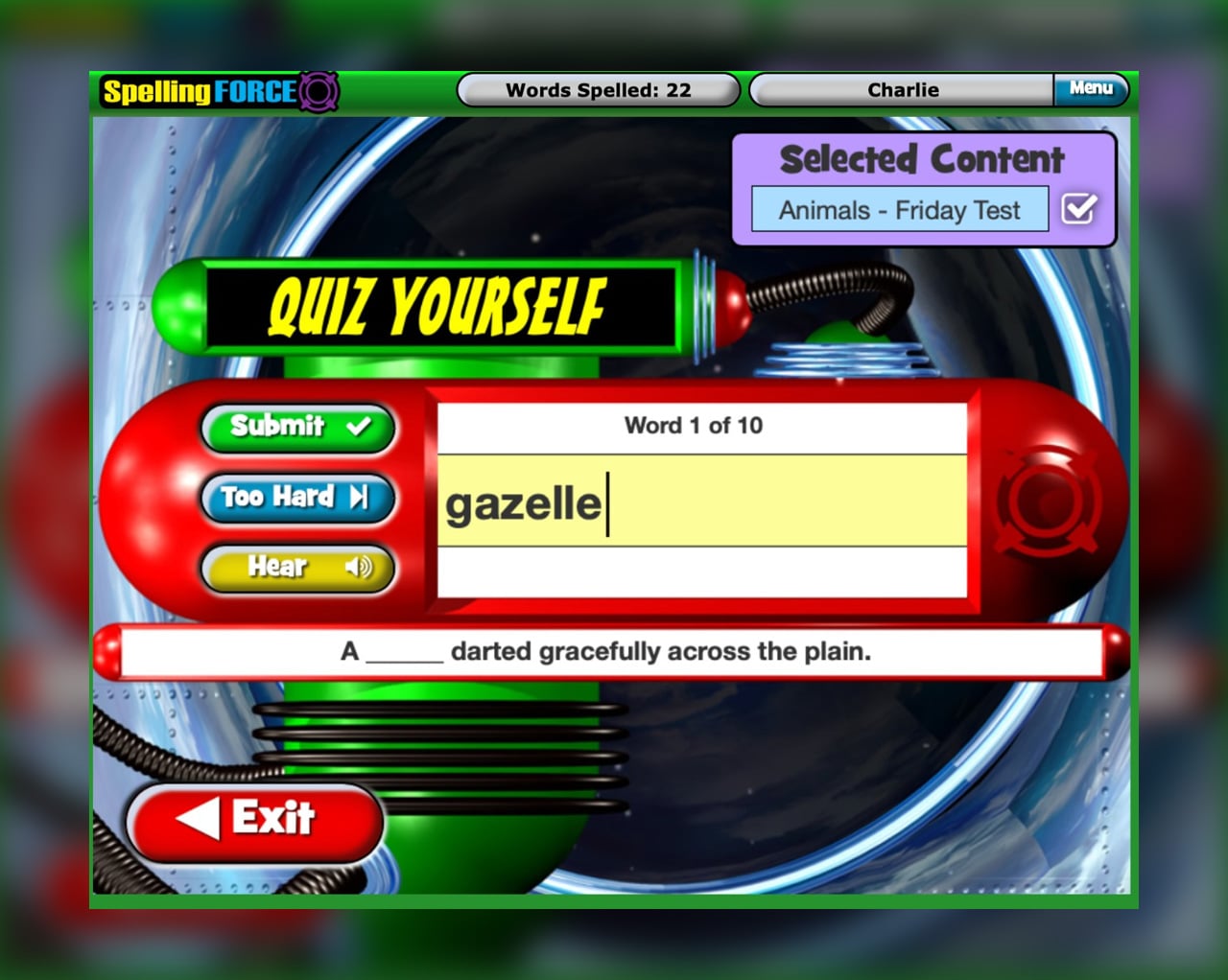
Quiz

Spelling Force » Spelling Force

Look Listen Learn

NAPLAN Simulator!

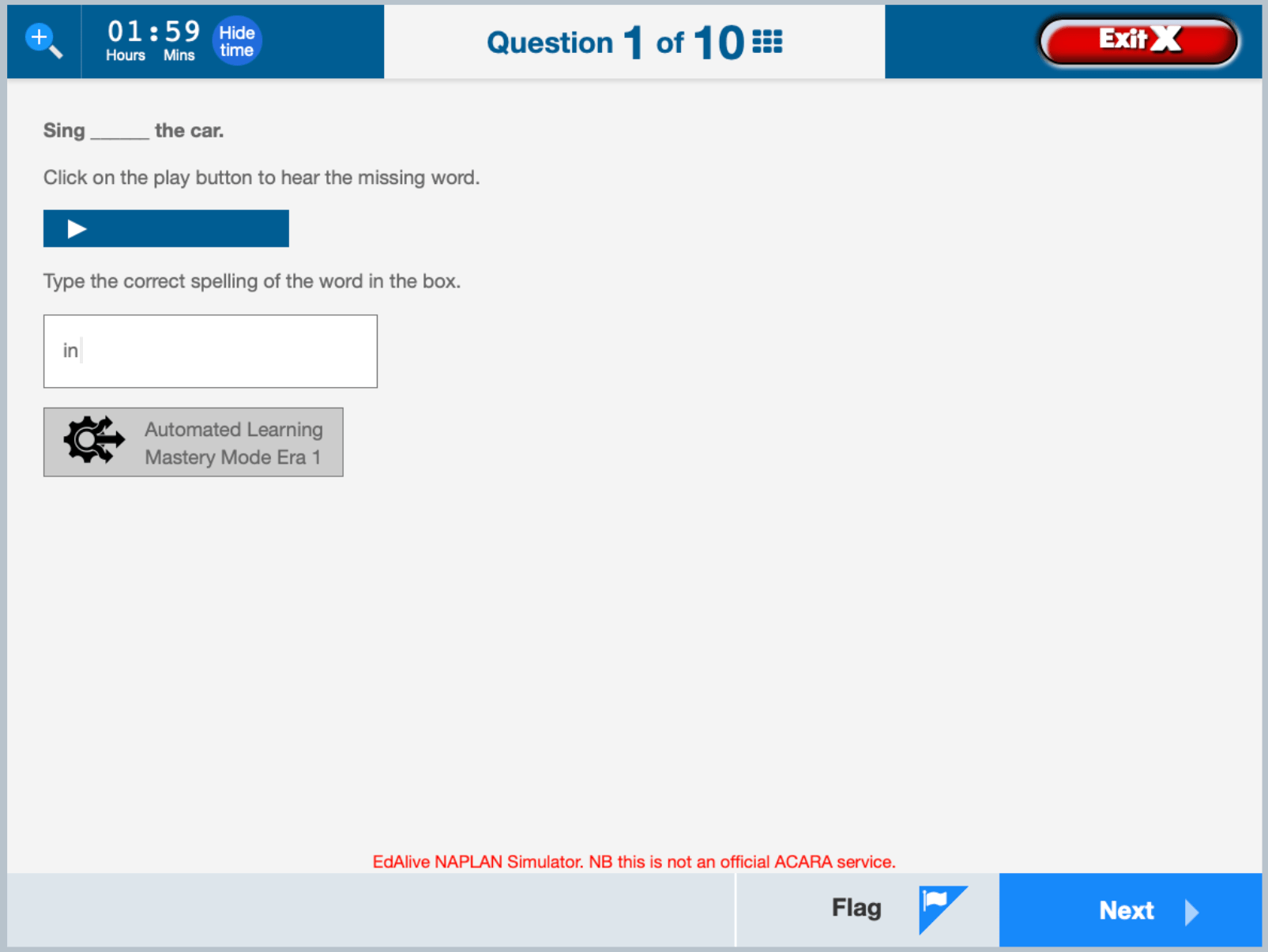
Faithfully recreates the spelling activities used in the actual NAPLAN Conventions of Language spelling test environment. 

Spelling Force » Spelling Force

Games

Learning is more effective when it’s fun!

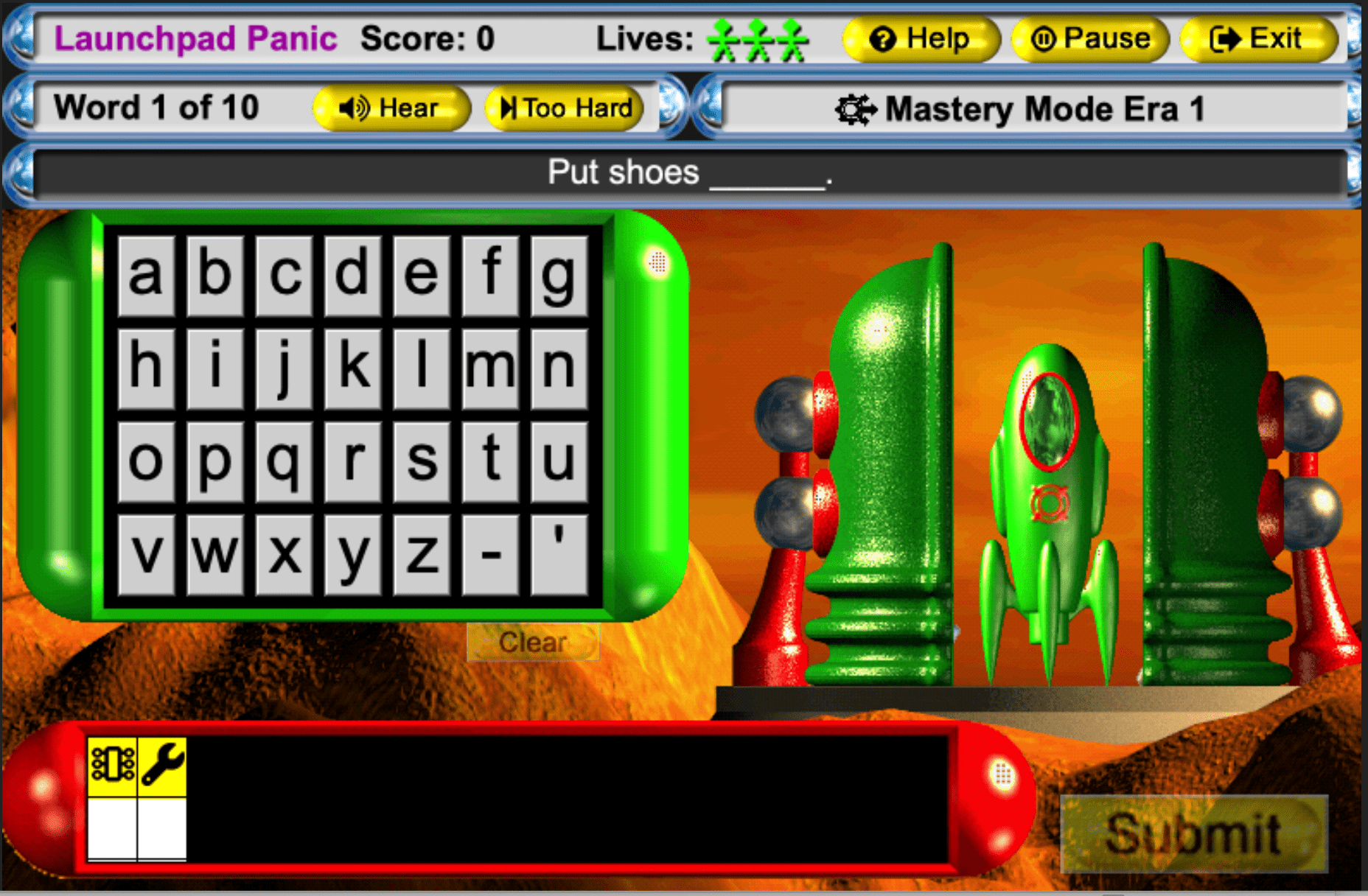
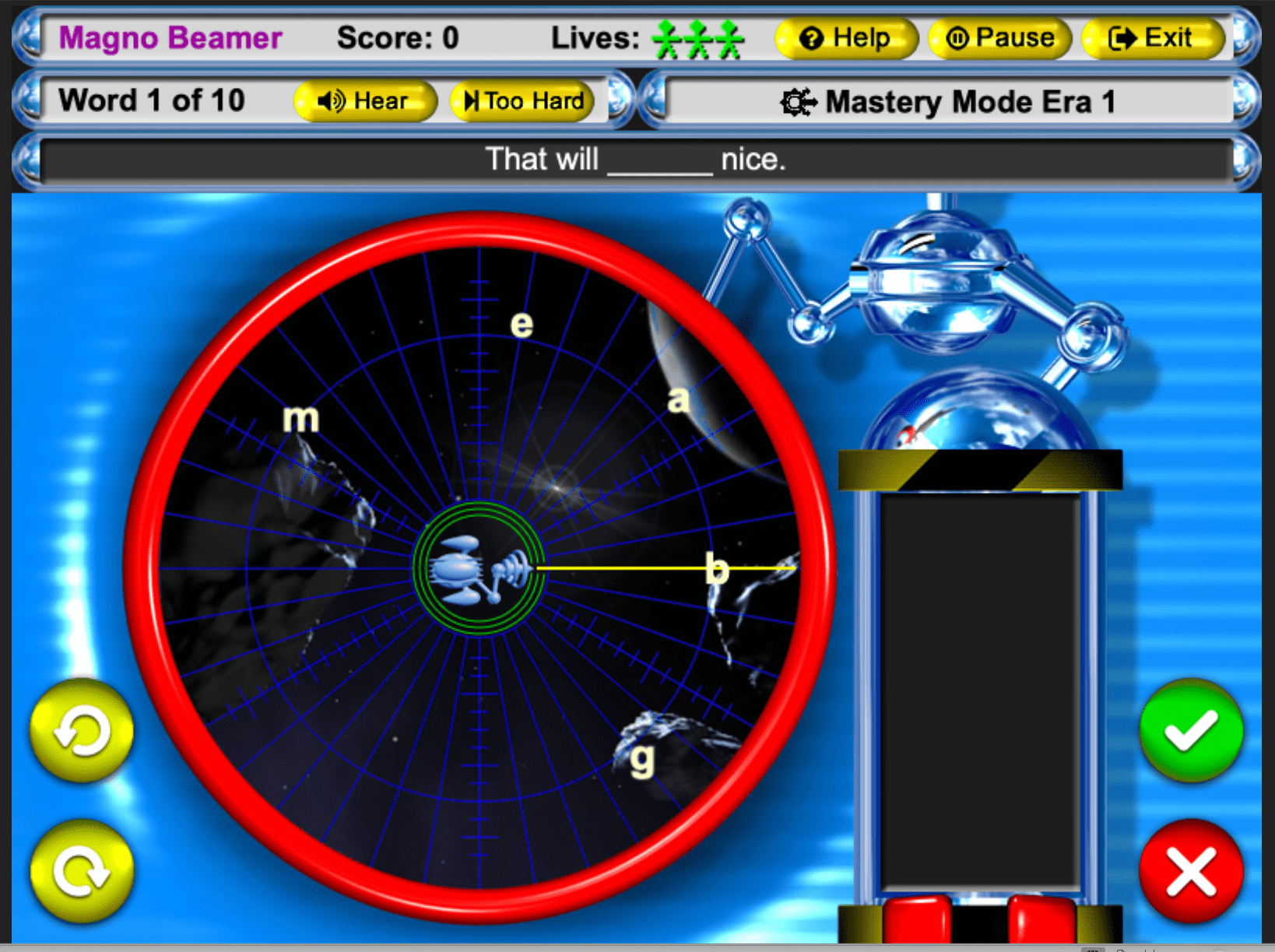
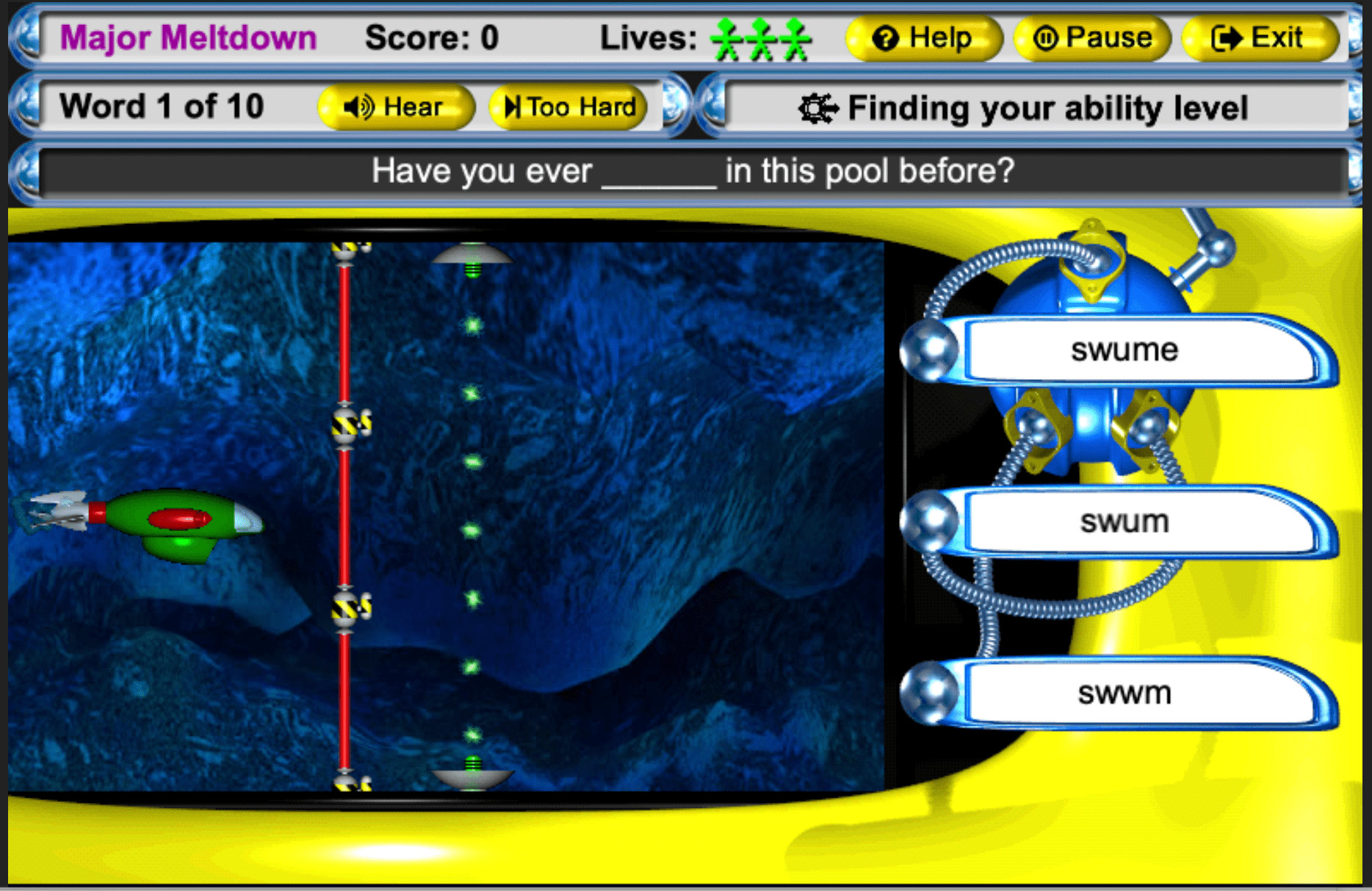
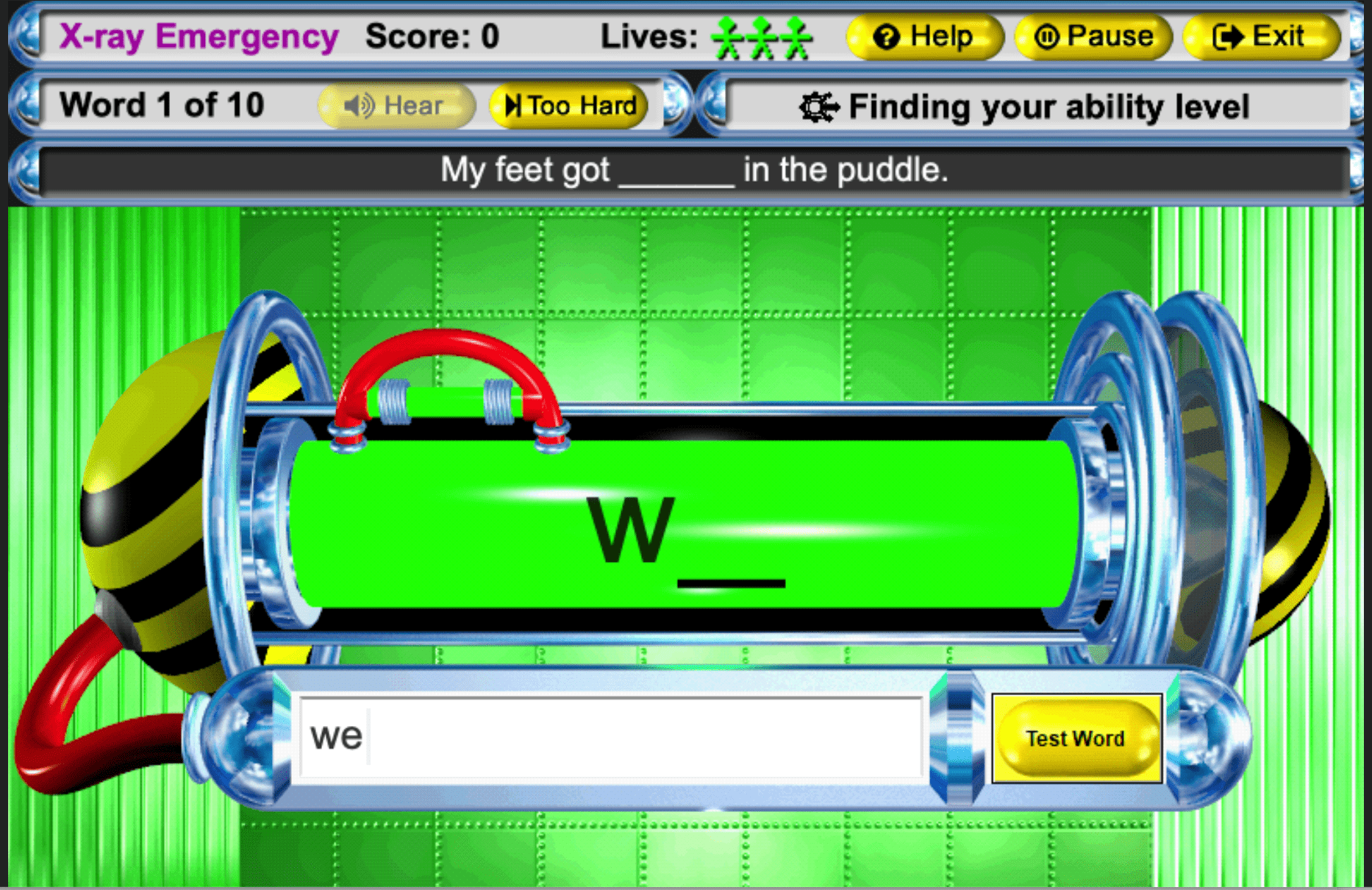
The four integrated games offer a fun and motivating way to learn spelling and improve reading skills. 

Spell your way out of a nuclear disaster playing these awesome spelling games. Have fun and boost your spelling power at the same time! 

Practice Mode

Practise incorrect spellings by listening to the word and its context sentence, hearing it spelled letter-by-letter and by seeing it syllabified. Once the word and its meaning is clear it can be practised by typing it repeatedly using the quick Look, Listen, Learn activity.

Spelling Force » Spelling Force

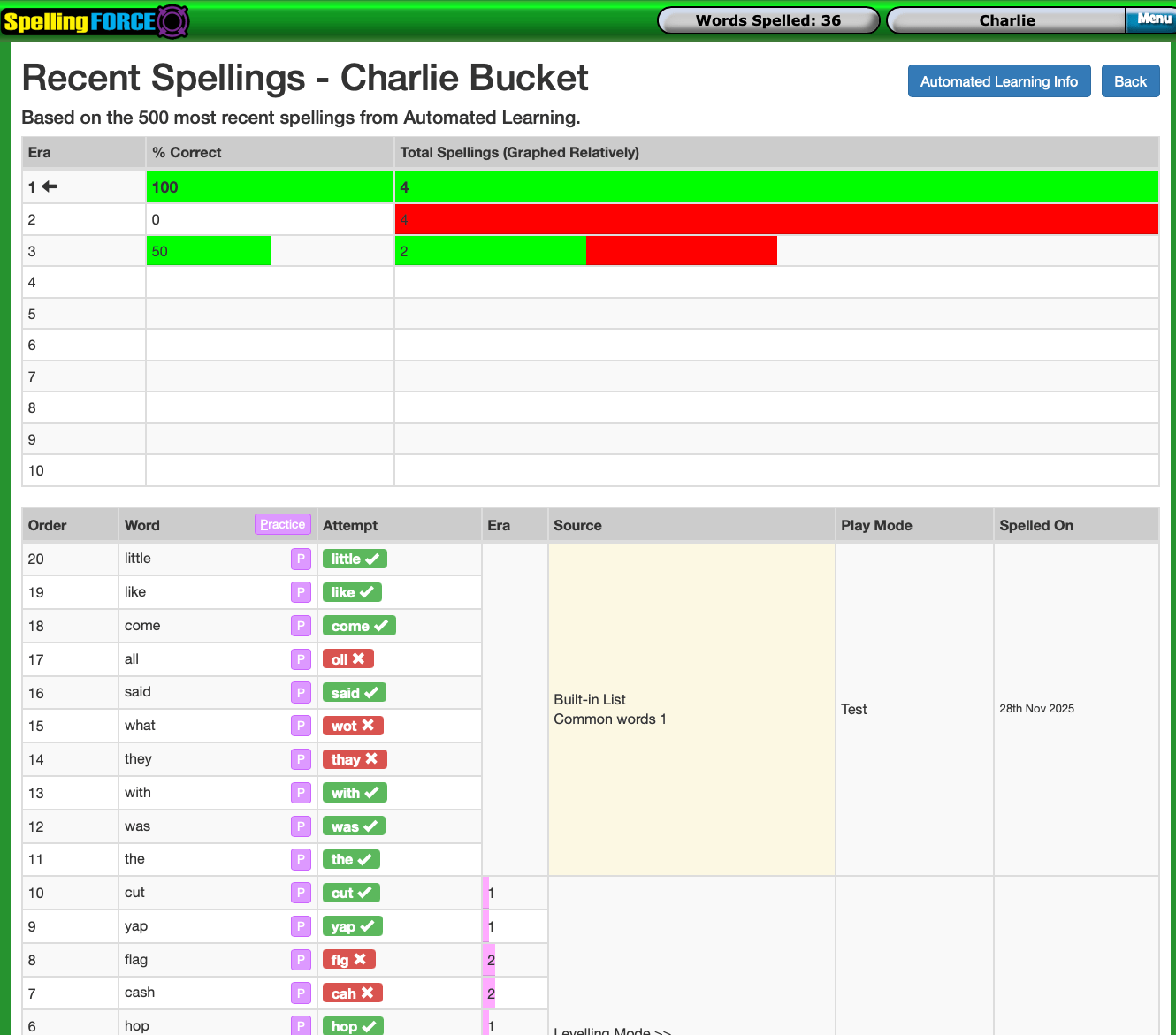
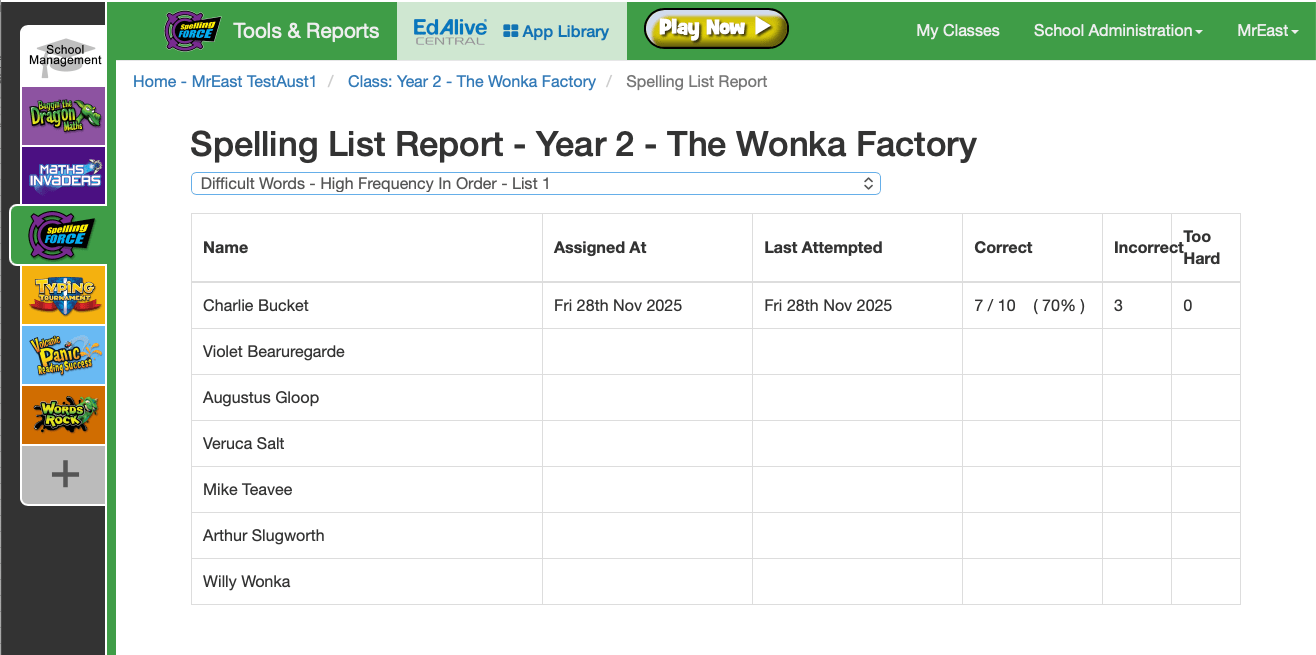
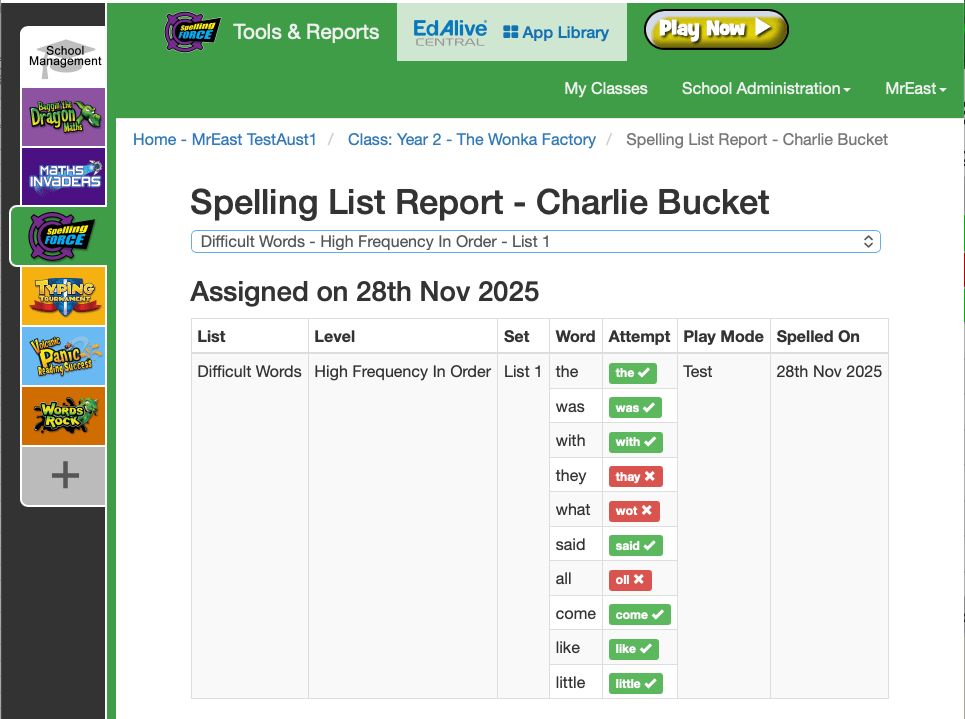
Reporting

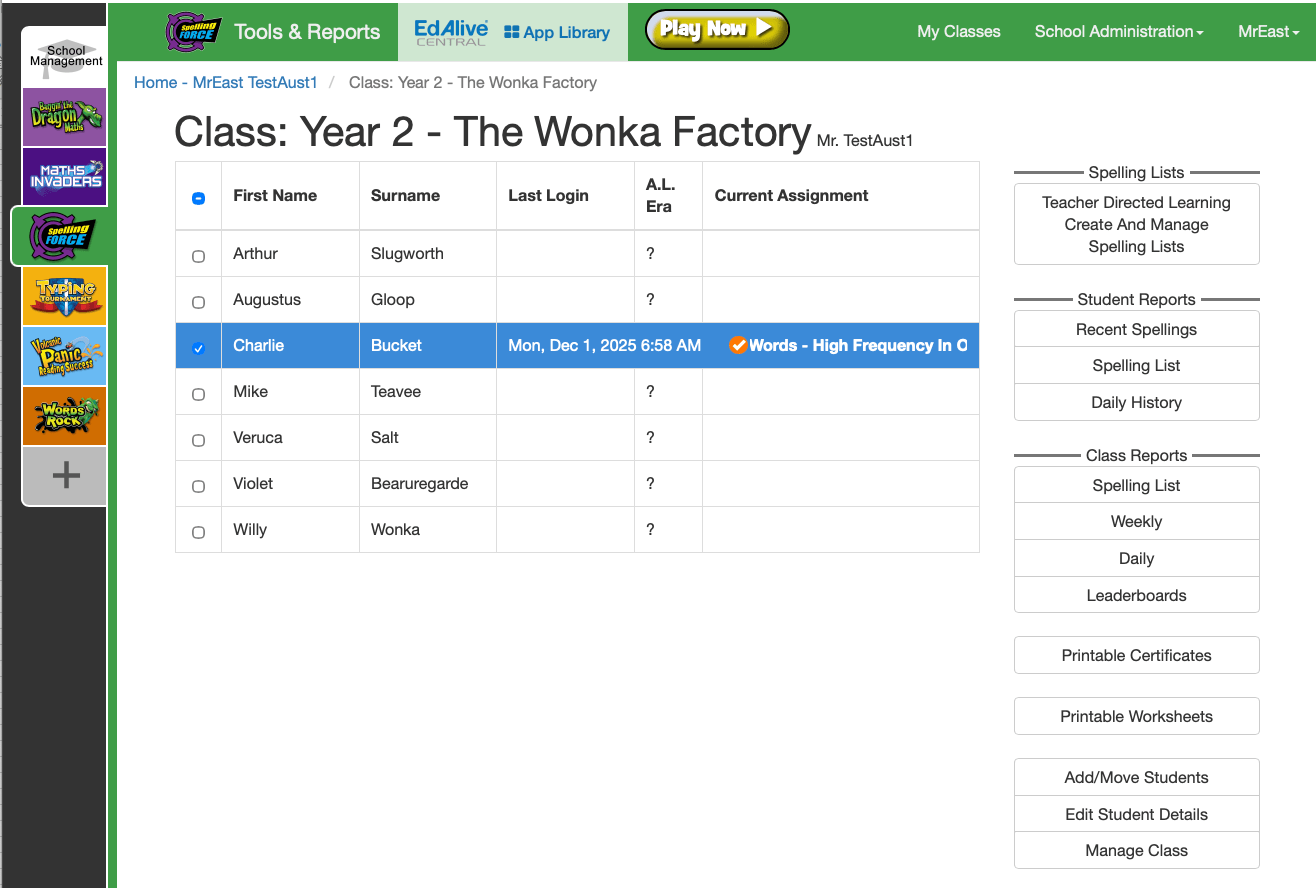
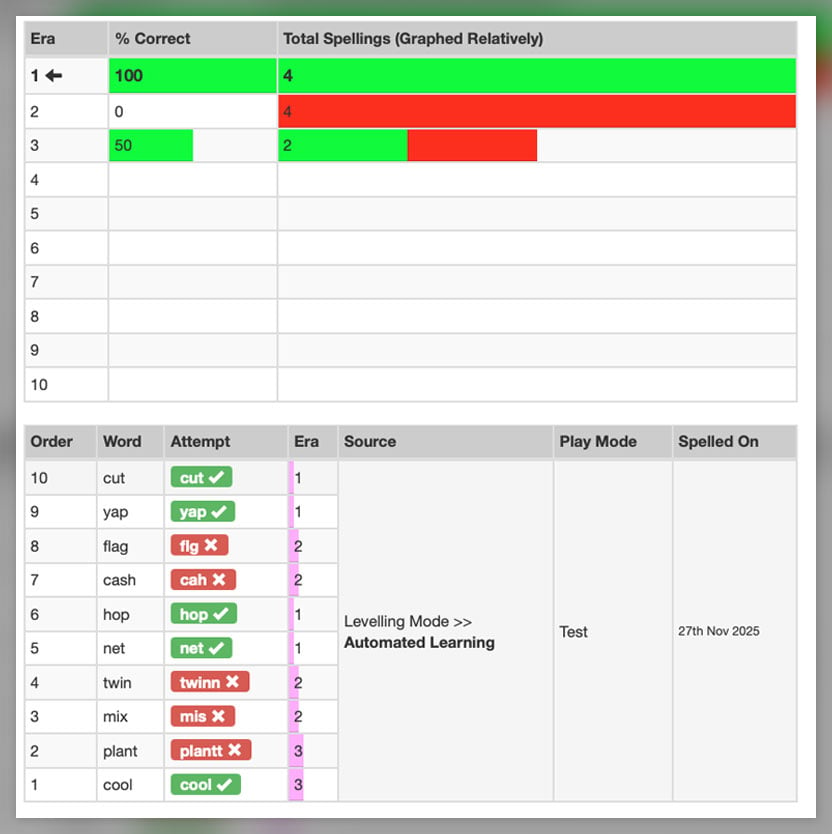
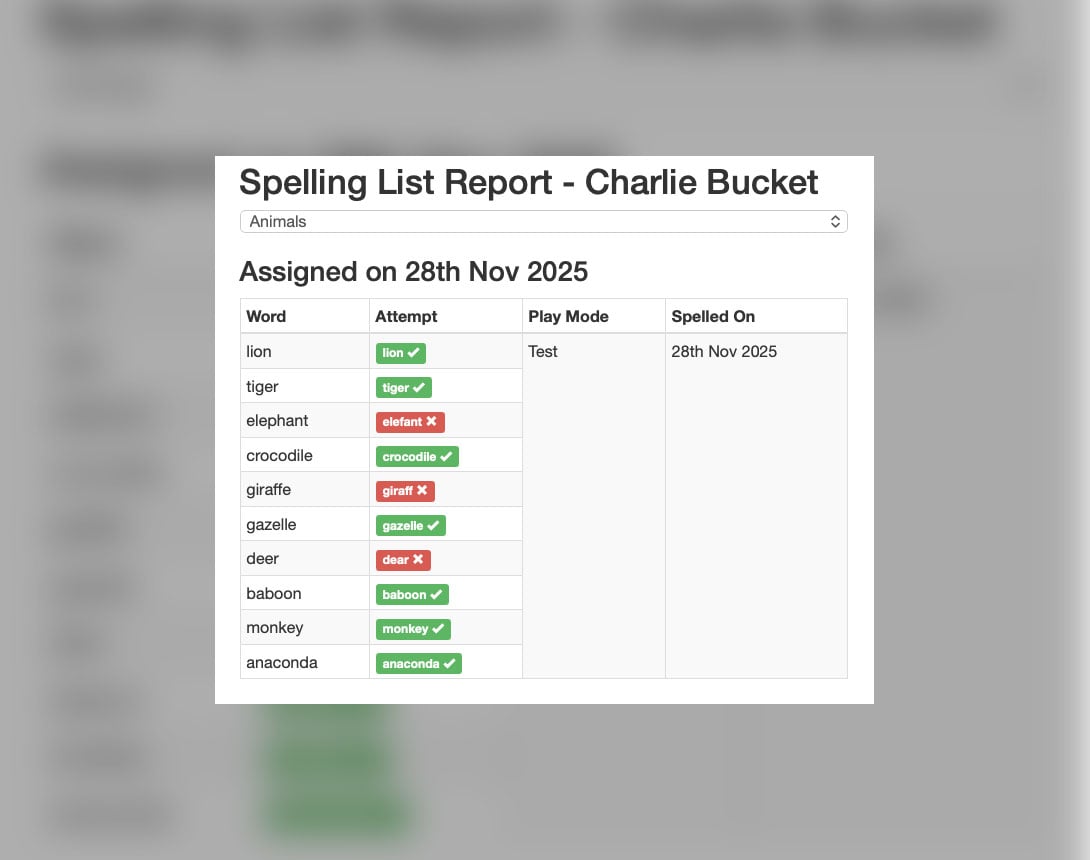
Powerful reports enable teachers and parents to monitor each student’s progress. 

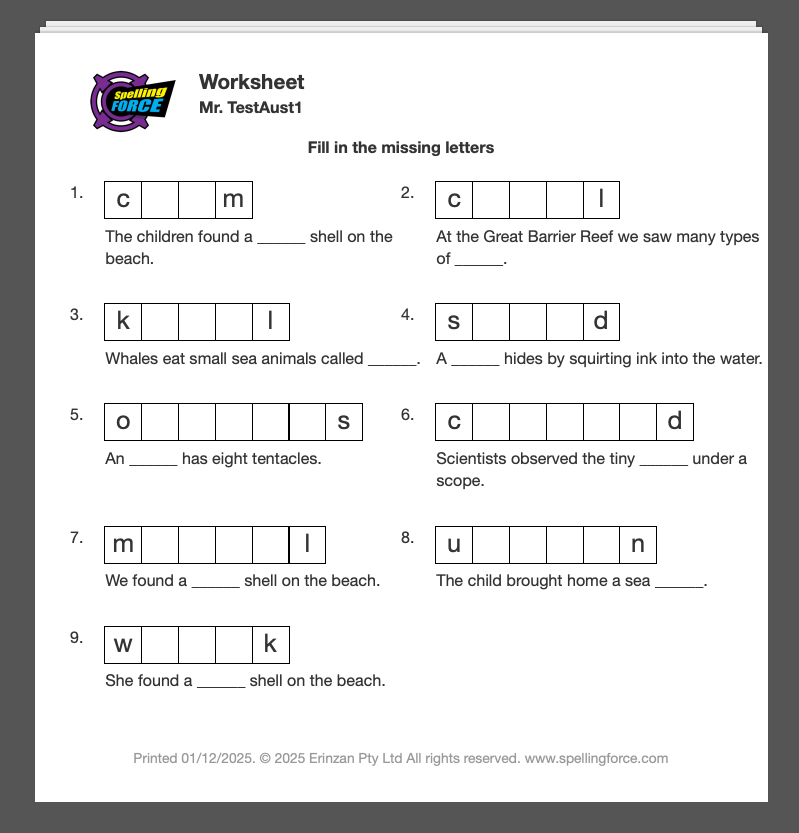
Printable worksheets

Print worksheets from the full range of Built-In Spelling Lists and you own Custom Spelling Lists. 

Spelling Force » Spelling Force

CD Version Awards

Typing Tournament retains all the power and flexibility of the multi-award-winning CD version but has been massively enhanced by the addition of over 100 changes resulting from our extensive classroom testing and research. For children it is more engaging and actively ensures that they use the right fingers on the right keys. For teachers it is more capable, much easier to administer, and saves supervision time in the classroom.

You Can Be Confident

Like all EdAlive online learning websites, Spelling Force:

ST4S - EdALive
Spelling Force » Spelling Force

EdAlive Central is the powerful platform underpinning all EdAlive websites that streamlines and centralises the admin side of things.

Parent Review

– Kerry Behrend, mother of 5
“It is good to be able to buy an educationally sound program that will suit all the children throughout their schooling. The games are fun and adaptable for all age groups ... a simple fun approach to spelling lists and a great family price.”

Student Review

– Chris, aged 11
“I'm a really good speller and I use Spelling Force for practice. My little sisters use it for homework and for practice. My favourite game is MagnoBeamer because of some of the longer, harder words – it gets very tricky!”
– Jessica, aged 7
“I love Spelling Force because I can learn how to spell difficult words like 'concentrated' and 'receipt'. I like to spell so I can be a great speller. Thanks to you EdAlive, I'm beginning to be a be a good speller.”
– Kaitlynn, aged 9
“I like Spelling Force because it helps me to learn how to spell words – it's easy once you play it right! I like the submarine mission because it makes buzzing noises. I think this is the best game yet. It's fun – sometimes I don't know I'm doing work it's so fun!”
– Methuen, aged 8
“My teacher asked me to play Spelling Force and it was really fun! LaunchPad Panic, Major Meltdown and MagnoBeamer were all great.”
– Keiron, aged 14
“Spelling Force is great. I am a really good speller thanks to you!”

Teacher Driven & Automated Learning

Automated Learning

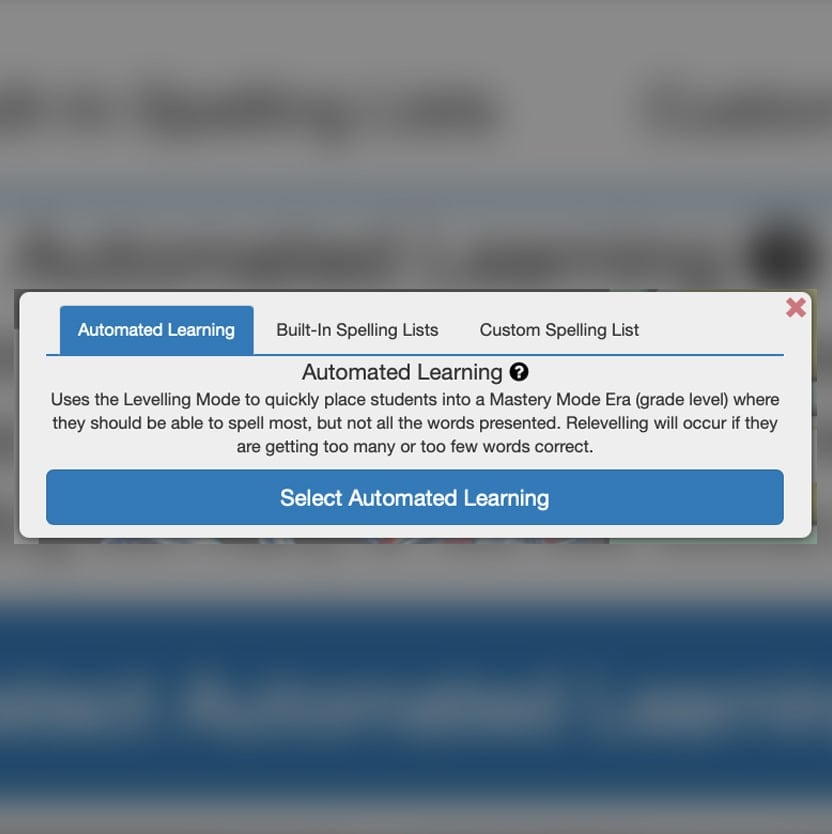
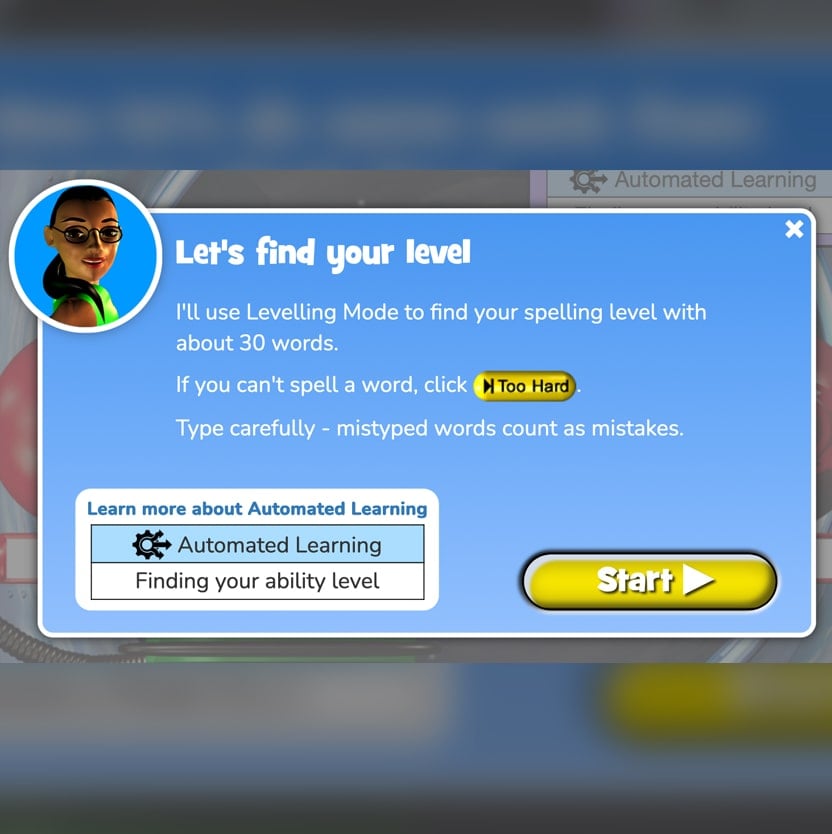
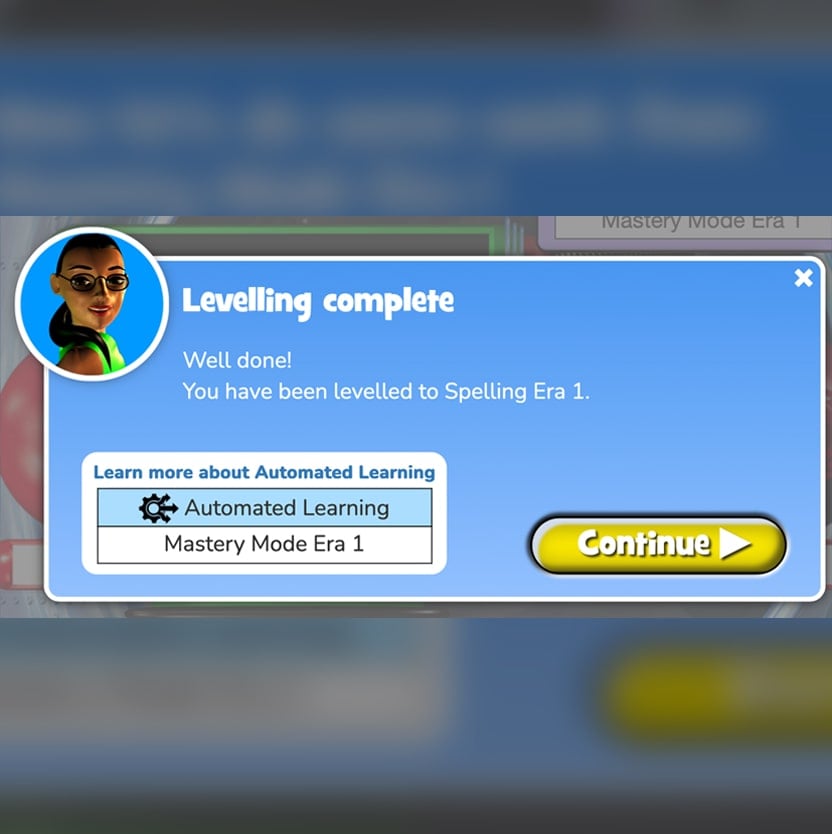
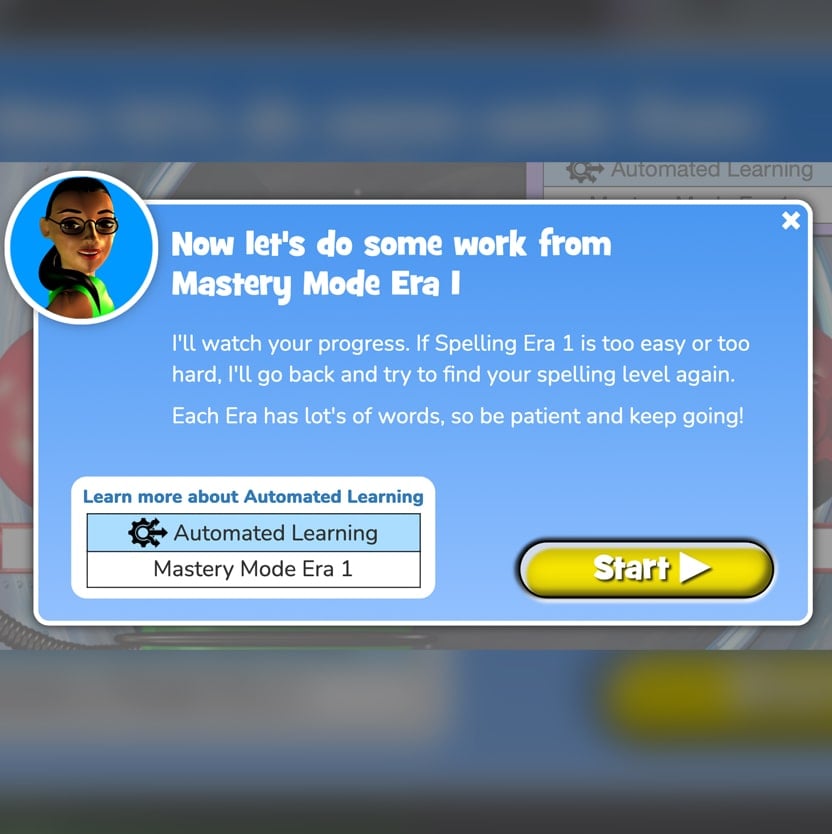
The Automated Learning system uses the Levelling Mode (adaptive learning) to quickly place students into a Mastery Mode Era (grade level) where they should be able to spell most, but not all the words presented. Re-levelling will occur if they are getting too many or too few words correct.

About Eras 

Eras 1 to 7 are school grade equivalent. Eras 8, 9 and 10 are extension material reaching all the way to advanced adult spelling levels.

Watch the Video: Automated Learning – Exploration

Automated Learning Explained

Pre-made Built-In Spelling Lists

Save time with pre-made Spelling Lists

Teachers and parents drive learning by assigning spelling from the Built-In Spelling Lists. Students can also self-select.

Ideal for the introduction of new words, reinforcement, revision, pre-testing and post-testing.

Teachers and parents drive learning by assigning spelling from the Built-In Spelling Lists. Students can also self-select.

Ideal for the introduction of new words, reinforcement, revision, pre-testing and post-testing.

How to use

Spelling Force » Spelling Force
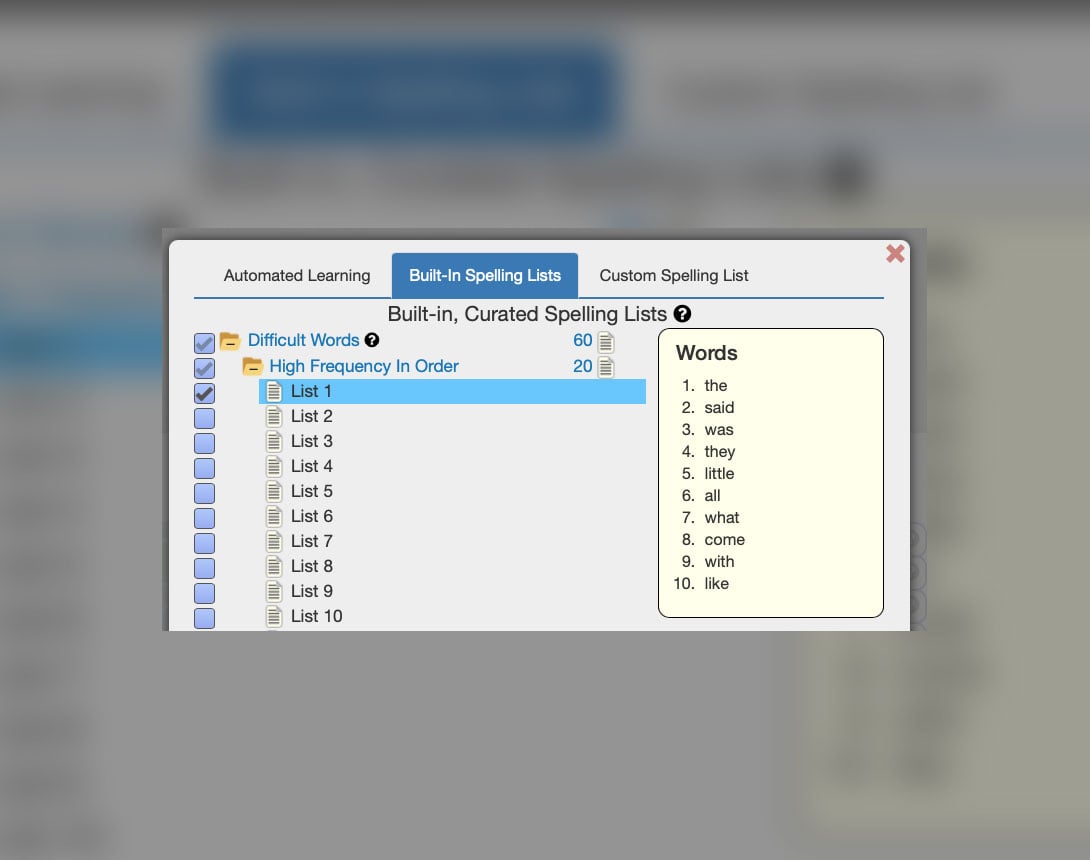
Login to your Teacher Account to assign Built-in Spelling Lists

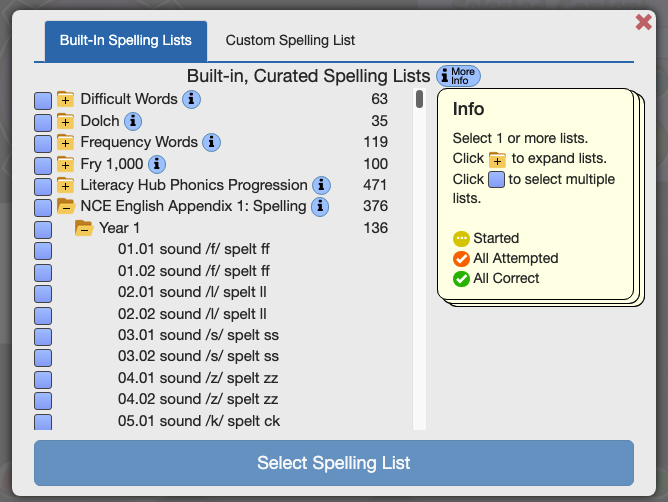
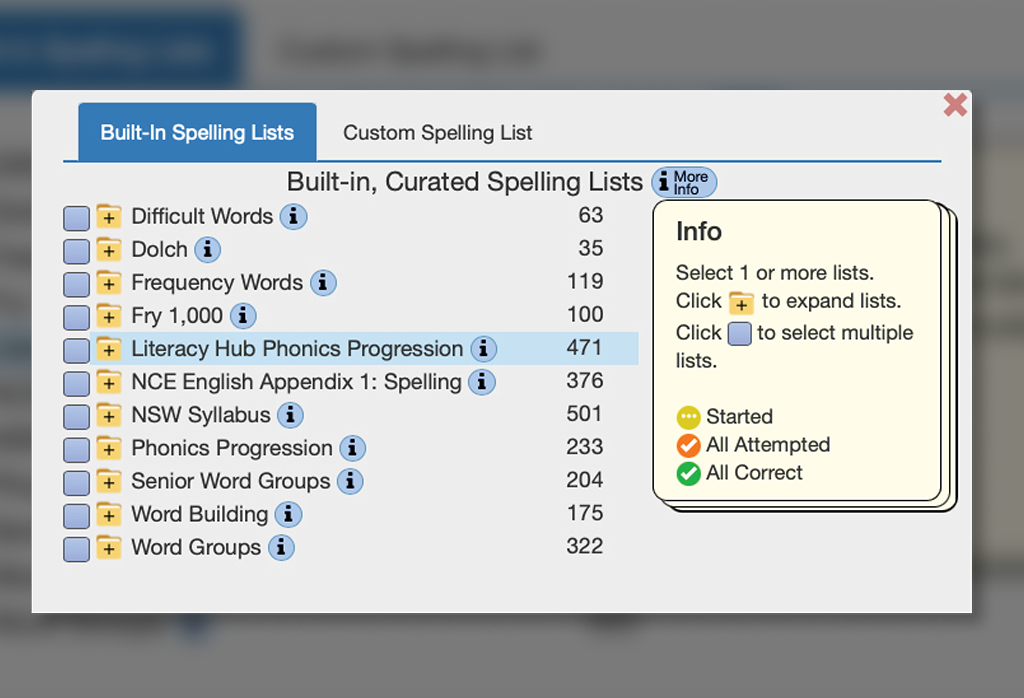
25,000+ words in 2,800+ curated, pre-built spelling lists

Spelling Force » Spelling Force

Difficult Words

About Difficult Words

Difficult words are those that pose a challenge to your spellers as they do not follow phonic conventions, have unusual spelling patterns, irregular pronunciation or are derived from languages other than English. 

High Frequency In Order

Covers the 200 most frequently used difficult words from the highest frequency to the lowest.

Low Frequency Alphabetical Order

Covers the next 400 frequently used difficult words in Alphabetical order.

The Dirty Thirty Spelling List

The 30 most commonly misspelled words in the English GCSE (General Certificate of Secondary Education – UK Equivalent of the Australian HSC)

Dolch List

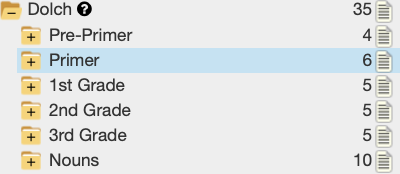
The Dolch Sight Word List is a set of 220 common words compiled by Edward William Dolch in 1936. These words make up 50-75% of all words used in children’s reading materials. The list is divided into five levels plus a separate noun list. The list was first published in a journal article in 1936 and then published in his book “Problems in Reading” in 1948.

Dolch compiled the list based on children’s books of his era, which is why nouns such as “kitty” and “Santa Claus” appear on the list instead of more current high-frequency words. The list contains 220 “service words” that Dolch thought should be easily recognised in order to achieve reading fluency in the English language. The compilation excludes nouns, which comprise a separate 95-word list. According to Dolch, between 50% and 75% of all words used in school books, library books, newspapers, and magazines are a part of the Dolch basic sight word vocabulary; however, bear in mind that the list was compiled in 1936.

Essential 600

This list of 600 words was first published as the “Blunkett Spelling List” which was issued in 2000 by the UK government for secondary schools. It is a list of essential words that children should be able to spell by the end of Primary School (age 11).

It can be used at the end of primary schooling or at the commencement of secondary education for revision or as a test to ascertain a student’s spelling proficiency. Covers: Art, Common Confusions, D&T, Drama, English, Geography, History, ICT, Library, Maths, Music, PE, PSHE, Religious Education, and Science.

Frequency Words

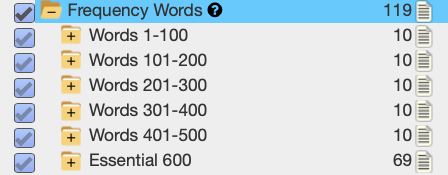
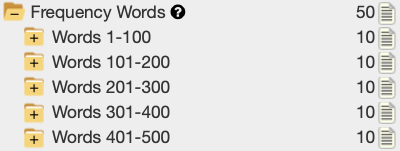
A list of the 500 most frequently used words in frequency order 1 – 500.

This list was created by EdAlive from a comprehensive analysis of children’s literature and writing.

Fry 1,000

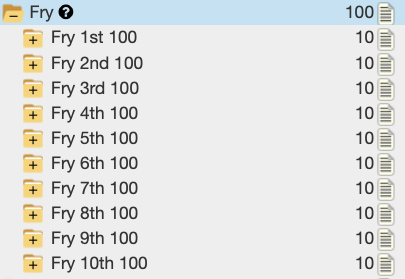
The Fry Word List consists of 1,000 words that are most commonly used in English writing, developed by Dr. Edward Fry in 1957. These words represent over 90% of words found in typical reading materials. The list is organised into 10 groups of 100 words each, roughly corresponding to difficulty and frequency.

Literacy Hub Phonics Progression

Detailed Information

NCERT

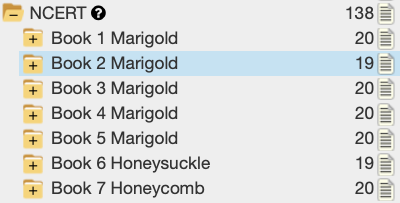
A list of 1,380 words giving full coverage of the words in book and chapter order from the Marigold and Honeysuckle books published in India by the National Council of Educational Research and Training (NCERT) for schools following the Central Board of Secondary Education (CBSE) curriculum.

NCE English Appendix 1: Spelling

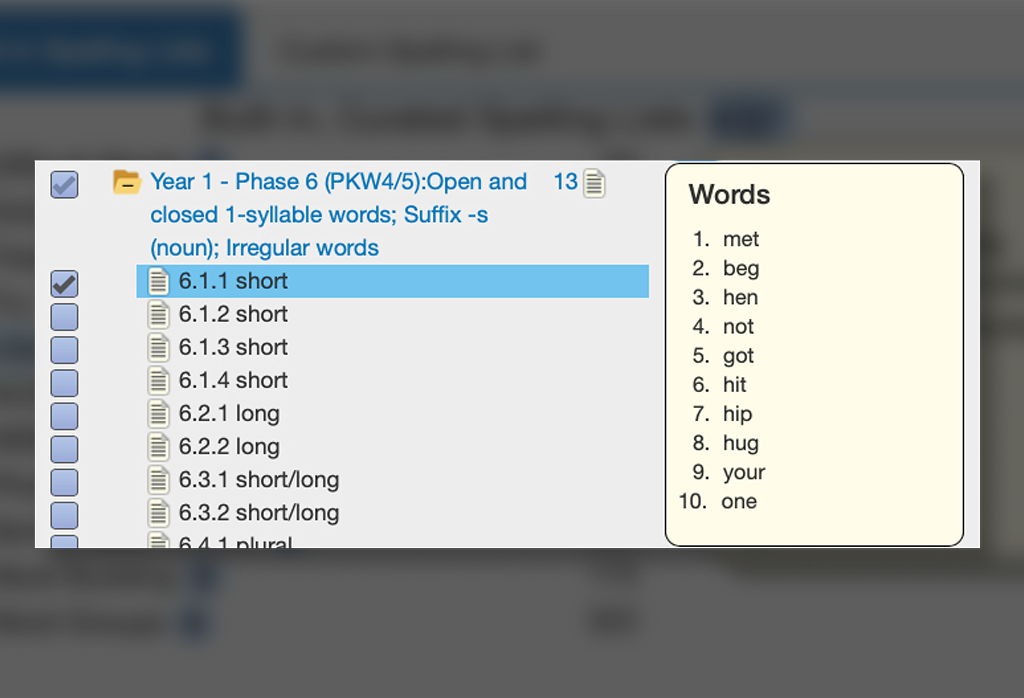
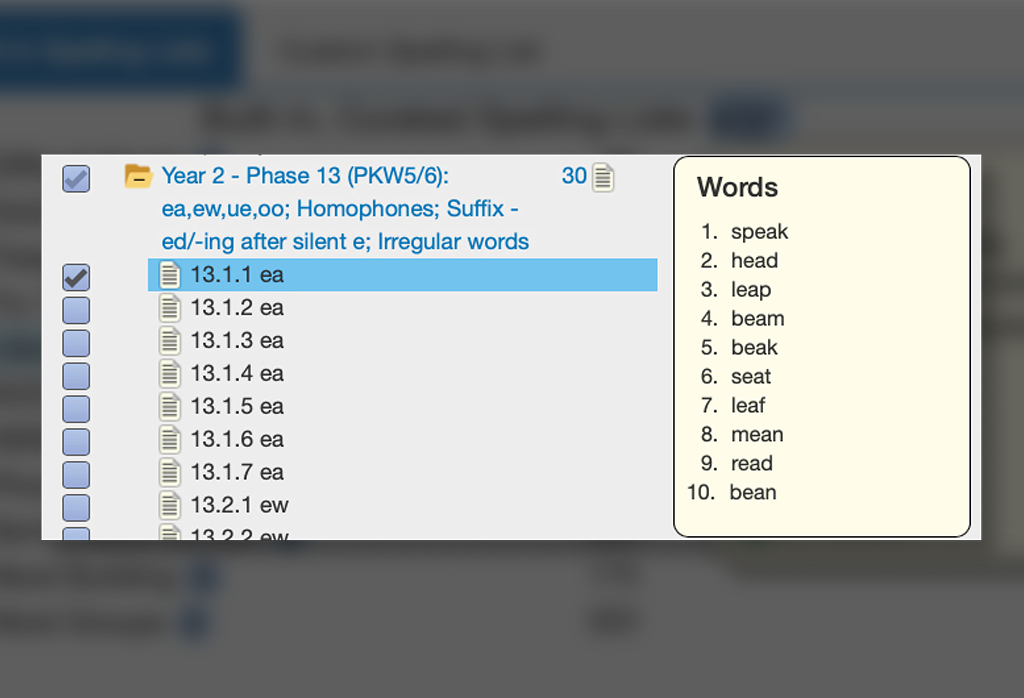
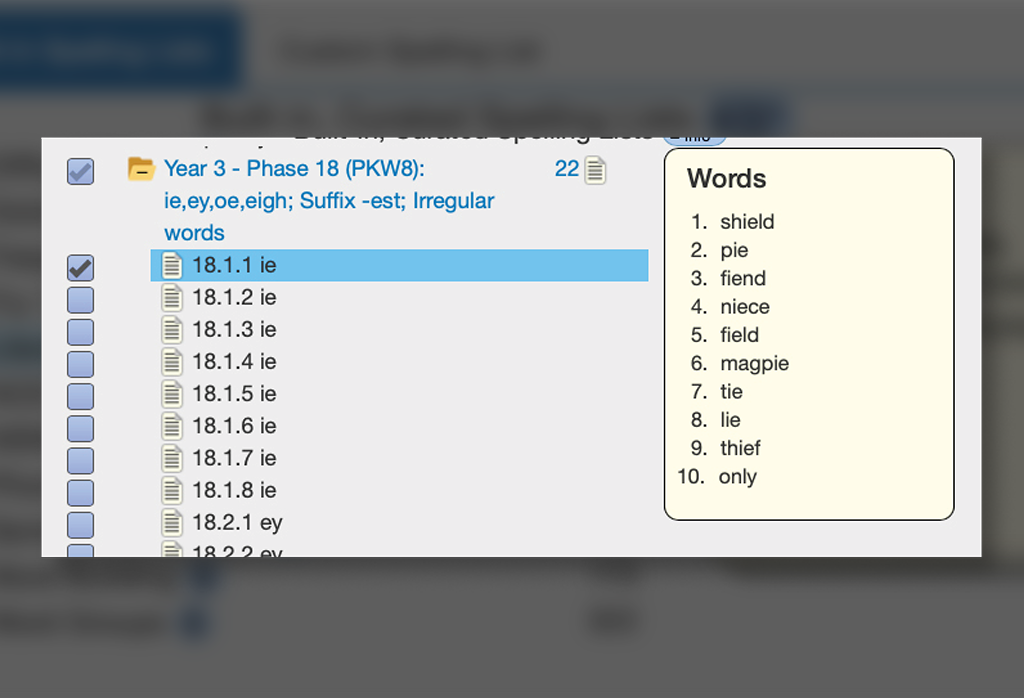
3, 700+ words in 370+ lists that fully cover the statutory and non-statutory requirements of The National Curriculum England English Appendix 1: Spelling (UK) 2013 for Years 1 – 6.

Design

  • All statutory requirements and mandated rules are covered.
  • Includes all 1,100 suggested, example and mandated words with an additional 2,600 additional words further illustrating the progressions and rules.
  • Where possible the lists are arranged in sets of 10. Some spelling rules apply to only a few words and in these cases, the word lists will be fewer than 10.
  • Where there are more than 10 applicable words, 2nd and 3rd lists have been added. These additional lists generally contain more difficult or less often used words, thus creating in-built extension.

Structure

  • Year 1: 1,350+ words in 136 lists
  • Year 2: 1,140+ words in 115 lists
  • Years 3 – 4: 850+ words in 87 lists
  • Years 5 – 6: 370+ words in 39 lists

NSW Syllabus

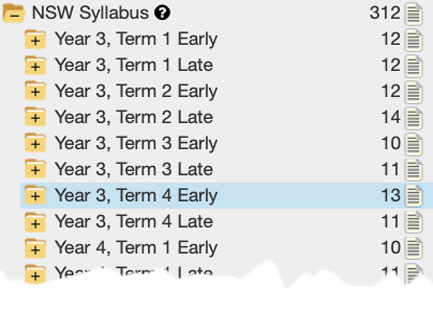
The Spelling Force NSW Syllabus lists fully contain the NSW Suggested Instructional Sequences with modifications that remove some age and stage inappropriate words and correct various errors. The end result is an enhanced version of the NSW Instructional Sequences with 4,341 words in 501 lists as follows:

  • Suggested Instructional Sequence: Early Stage 1 Spelling – 714 words in 74 lists
  • Suggested Instructional sequence: Stage 1 Spelling – 1,126 words in 115 lists
  • English – Stage 2 Instructional sequence Spelling:
    • Year 3 week-by-week – 806 words in 95 lists
    • Year 4 week-by-week – 578 words in 72 lists
  • English – Stage 3 Instructional sequence – Spelling:
    • Year 5 week-by-week – 601 words in 76 lists
    • Year 6 week-by-week – 516 words in 69 lists

Spelling Force uses an evidence-based instructional approach to spelling that explicitly teaches the phonological, orthographic and morphological features of words (Triple Word Form Theory) to fully satisfy the following outcomes:

  • ENE-SPELL-01: applies phonological, orthographic and morphological generalisations and strategies to spell taught familiar and high-frequency words when creating texts as articulated in – Suggested Instructional Sequence: Early Stage 1 Spelling  (coming soon)
 
  • EN1-SPELL-01: applies phonological, orthographic and morphological generalisations and strategies when spelling words in a range of writing contexts as articulated in – Suggested instructional sequence: Stage 1 – Spelling  (coming soon)
 
  • EN2-SPELL-01: selects, applies and describes appropriate phonological, orthographic and morphological generalisations and strategies when spelling in a range of contexts as articulated in – English – Stage 2 Instructional sequence – Spelling
 
  • EN3-SPELL-01: automatically applies taught phonological, orthographic and morphological generalisations and strategies when spelling in a range of contexts, and justifies spelling strategies used to spell unfamiliar words as articulated in – English – Stage 3 Instructional sequence – Spelling

Detailed Information​

  • The Spelling Force Research. Learn More
  • The Spelling Force NSW English Syllabus. Learn More
  • The Complete Spelling Force NSW Syllabus Resource. Learn More

Phonics Progression

An extensive, phonics/phonemics teaching progression of over 2,300 words that combines phonological and orthographic elements in a finely stepped, progressive teaching sequence.

It is designed to be used in combination with the Word Building, Frequency and Word Group lists to create a comprehensive, graded spelling resource.

Senior Word Groups

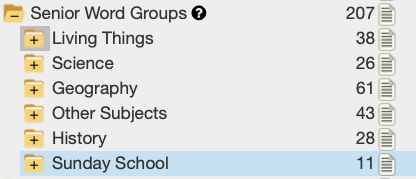
This list is a collection of 2,000+ words for middle to upper grades arranged in topics covering:

Living Things

Animals: Birds, Insects, Sea creatures, Fish, Invertebrate sea life, Mammals, Big cats, Marsupials, Poultry, Primates, Reptiles, Ungulates, Sea mammals, Microbes, Plankton, Australian trees, Australian native flowers, Weeds and Flowers.

Science

Elements of the Periodic Table; Diseases; Common medicines; Astronomy; Solar System; Human body – internal.

Geography

Landscape features; Weather; Rocks; Minerals; 195 Countries of the world; Capital Cities of the countries of the World; Australian cities and towns; Long rivers; Common languages; Art; Food – dairy; Food – drinks; Food – flavours; Food – fruit; Food – grains; Food – herbs; Food – meat; Food – nuts; Musical instruments; Musical Terms; Education; Romans; Stone Age; Bronze Age; Iron Age; Vikings; Anglo Saxons; The Scots

Sunday School

Old Testament names, New Testament Names, Old Testament Places New Testament Places.

Word Building

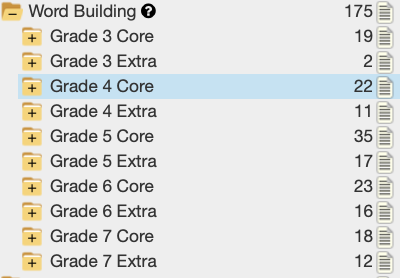
This is a progressive list of 1,750 words using word roots, prefixes and suffixes.

Speaking technically the list covers word building or morphology which is the studying of word structure by breaking words into their smallest meaningful units, called morphemes. These meaningful parts, including prefixes, root words, and suffixes, help students understand how words are built, which improves their ability to both spell and understand the meaning of unfamiliar words.

Word Groups

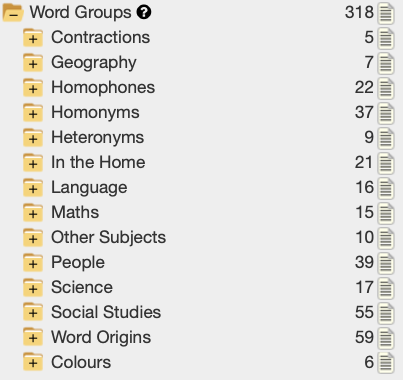
This is a collection of 3,000+ words for lower to middle grades arranged in topics covering:

Contractions

Geography – Oceans; Deserts; Rainforests

Homophones, Homonyms, Heteronyms – Covers nearly 700 words.

In the Home – Rooms etc; Games; Useful; Furniture etc; Meats; Vegetables; Fridge Freezer; Herbs; Sweets; Food Verbs

Language –  Days; Months/Seasons; Sentence Builders; Collective Nouns

Maths – Numbers-10; Ordinals-10; Geometry; Operations; General

Other Subjects – Art; Drama; Library; Music; Religious Education; Technology; People; Families; Jobs; School; Health; Homes; Sports; General

Science – Space; The Sea; Water Cycle; Scientists; Terms; Baby Animals; Trees; Human Body

Social Studies – School days; This is Me; Places We Know; Meeting Needs; Workers; Transport; Celebrations; Family History; Identifying Us; Shelter; The Way We Were; Wet and Dry; Communities; Australia; Colonisation; Change; Beliefs; Parks; Communities; Who Will Buy?; Gold!; Rainforests; Governments; Antarctica; Democracy; Identity; Global Connections; Disasters

Word Origins – Arabic; Australian Aboriginal; Chinese; French; From People; From Places; German; Greek; Indian; Japanese; Latin; Mythology; New World; Old English; Scot/Irish

Colours – 60 different colours from red to tangerine.

Built In List Creation and use

Literature Hub

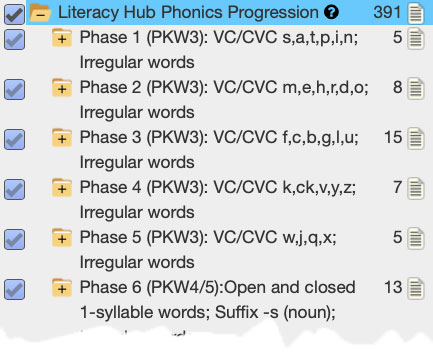
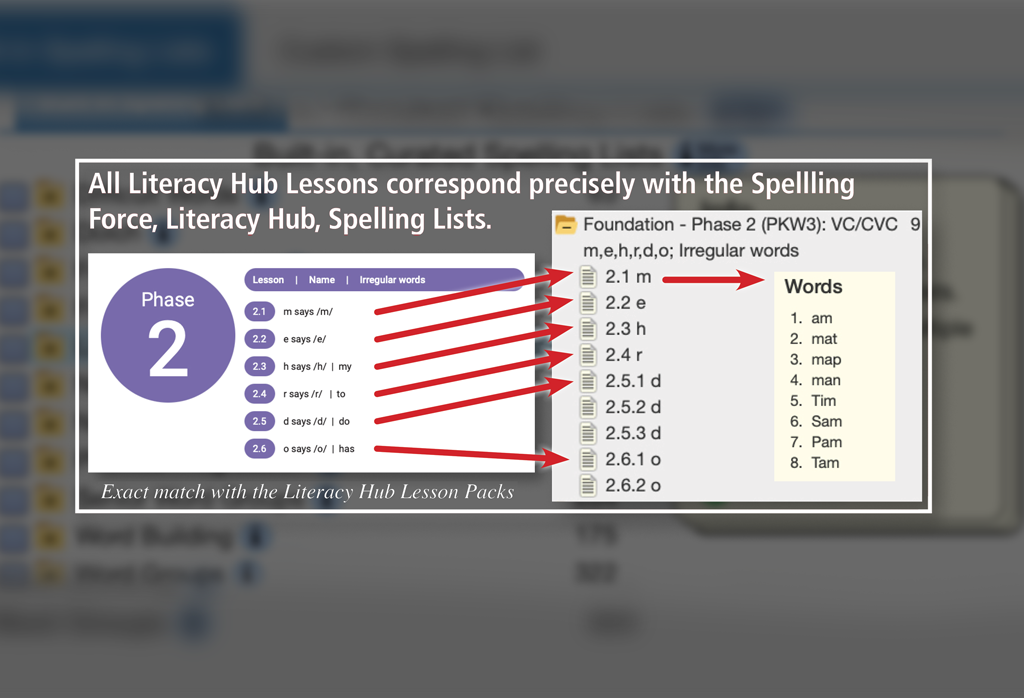
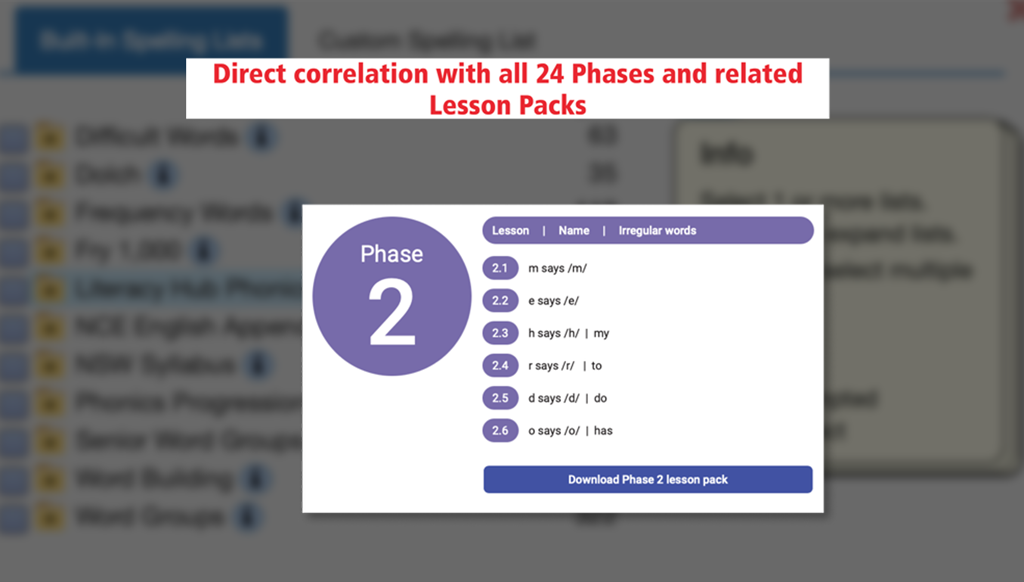
EdAlive’s Spelling Force Literacy Hub Spelling Lists progression fully encompasses and builds on the Literacy Hub progression to create an expanded spelling resource that precisely follows the Literacy Hub Phonics Progression and is fully integrated with Spelling Force. 

Classroom use

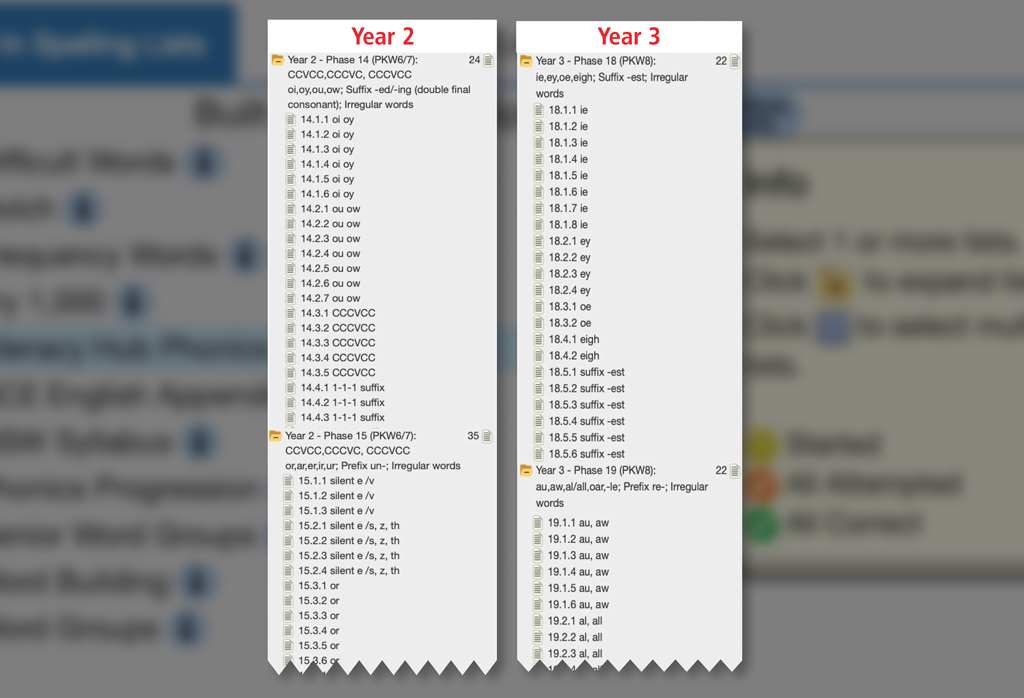
The result is that the Spelling Force Literacy Hub Spelling Lists form an extremely comprehensive resource that accords precisely with the Literacy Hub progression and includes revision lists and supplementary frequency words. By aligning classroom practice with the Literacy Hub’s core principles and leveraging the extensive, phase-based word lists through the Spelling Force Literacy Hub Spelling Lists, schools can offer students a spelling programme that is explicit, systematic, engaging, and demonstrably effective from Foundation through Year 3.

Additions

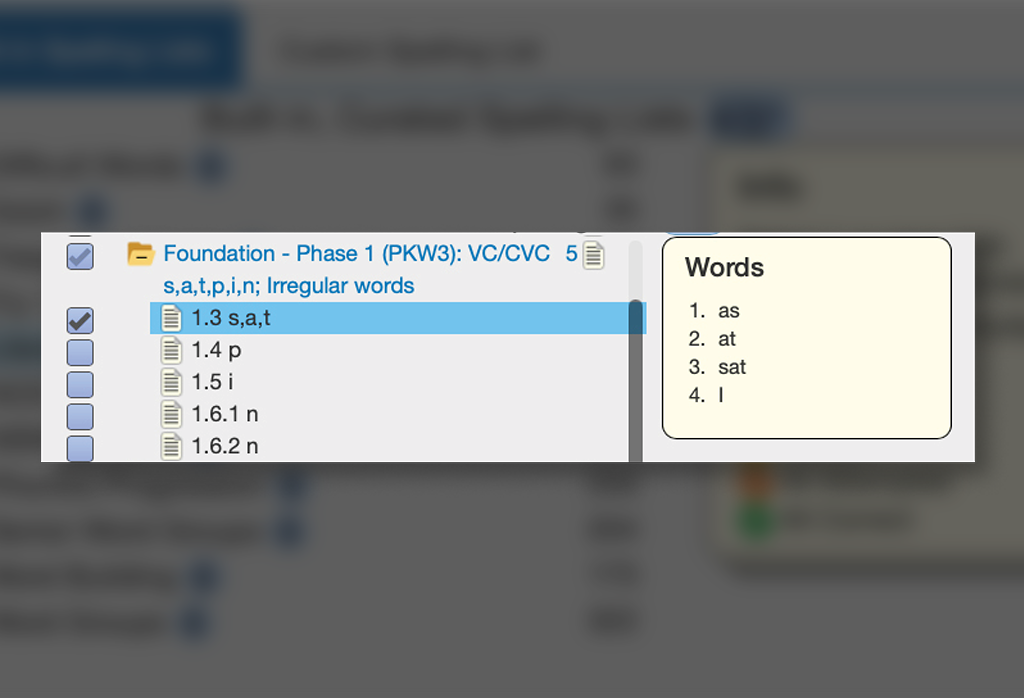
For each Literacy Hub word Spelling Force adds:

Literacy Hub phonics progression – Australian Curriculum

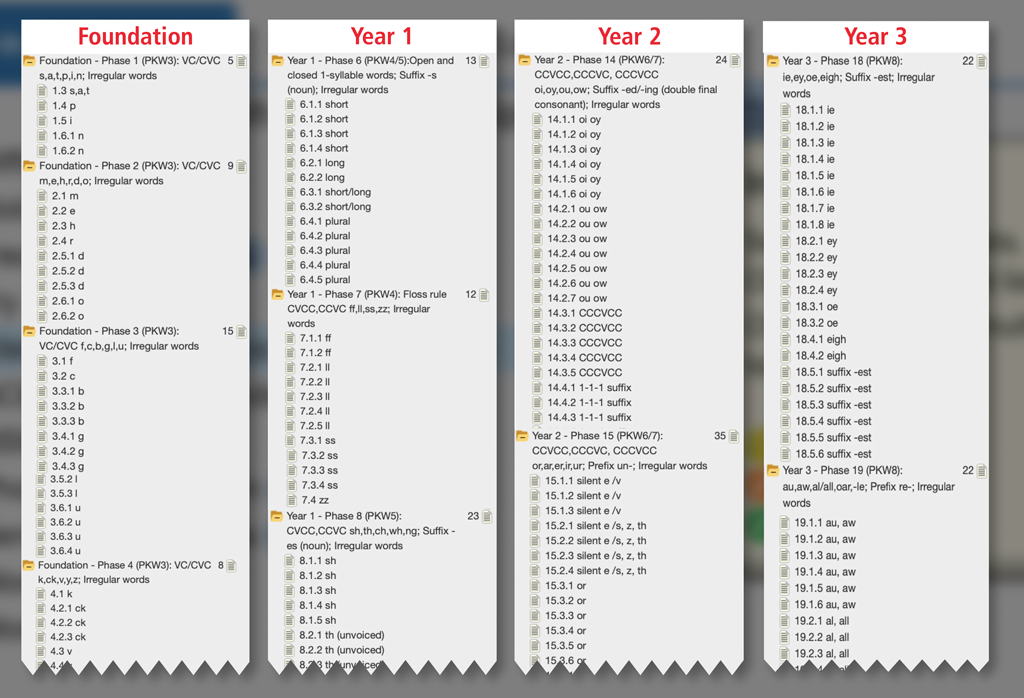
  • The Literacy Hub phonics progression includes a sequence of letter–sound correspondences and phonics skills for use from Foundation to Year 3 though 24 Phases broken down into weekly lessons and mapped to the Australian Curriculum outcomes PKW3 to PKW8. Learn more 
  • Each Phase is supported by a wide range of classroom teaching materials including worksheets and PowerPoint slides. Learn More 
  • The phases of the progression are mapped to the Australian Curriculum V9 in English as follows: 
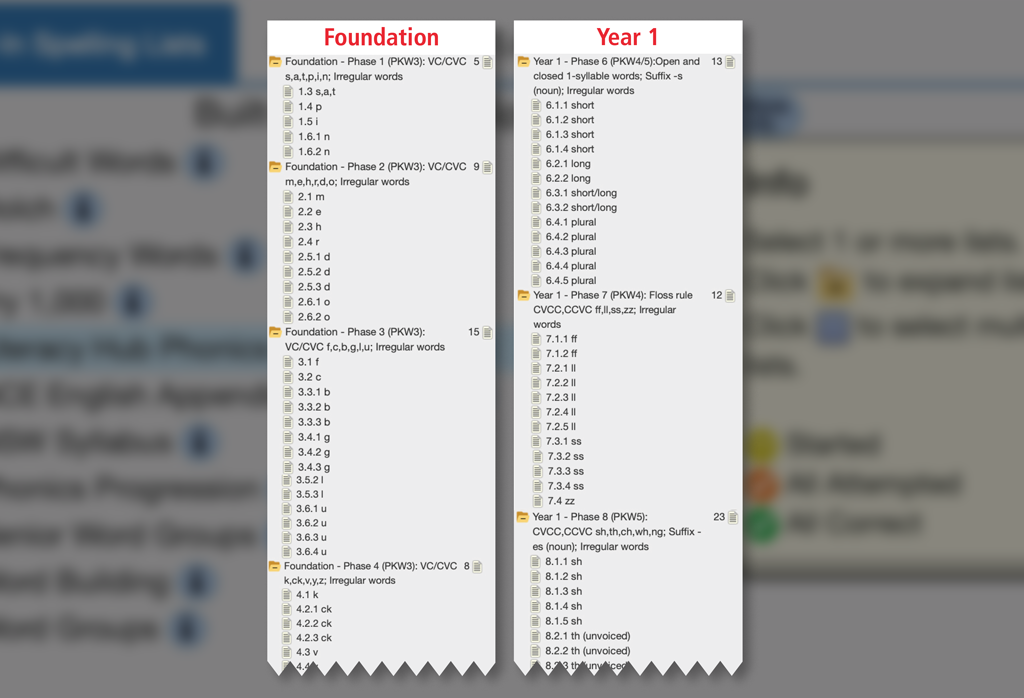
    • Phase 1–5: Foundation 
    • Phases 6–12: Year 1 
    • Phases 13–17: Year 2 
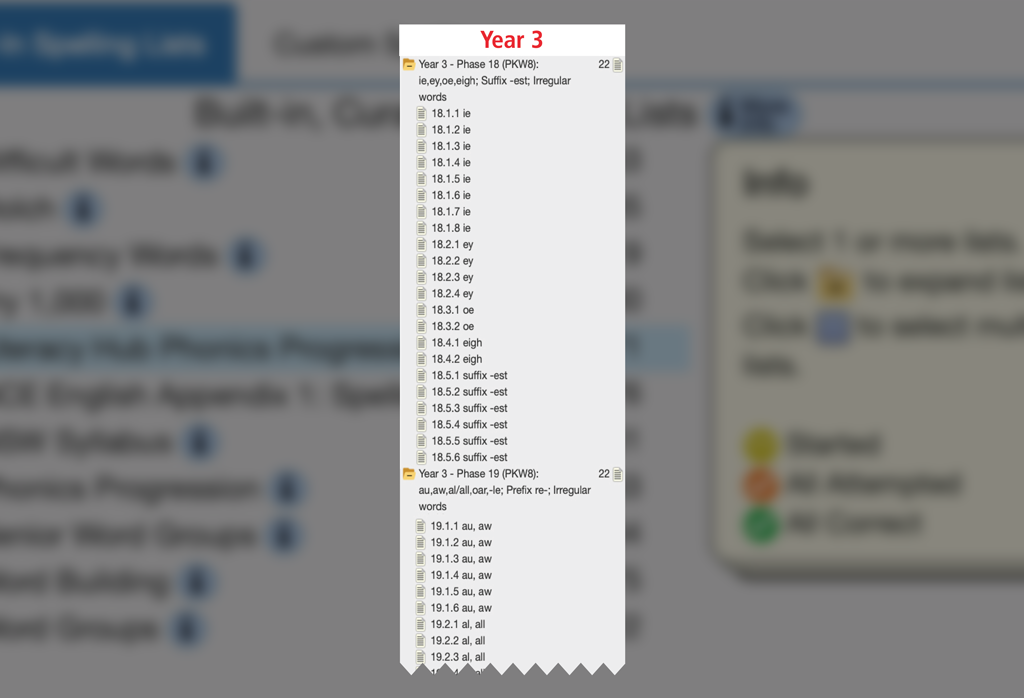
    • Phases 18–24: Year 3 

Linking to the Australian Curriculum

The progression sits within the Literacy strand of the Australian Curriculum as part of the Reading and viewing element. Each Phase links to the general capabilities in the Australian Curriculum as follows:
  • Writing sub element 
  • Reading and Viewing sub-elements 
  • Phonic Knowledge and Word Recognition PKW3 – PKW8 (PKW9 for Spelling Force generally) Learn More
 

It should be noted that the use of the Spelling Force Literacy Hub materials within the Spelling Force system significantly expand the general scope of the outcomes covered. 

Detailed Information

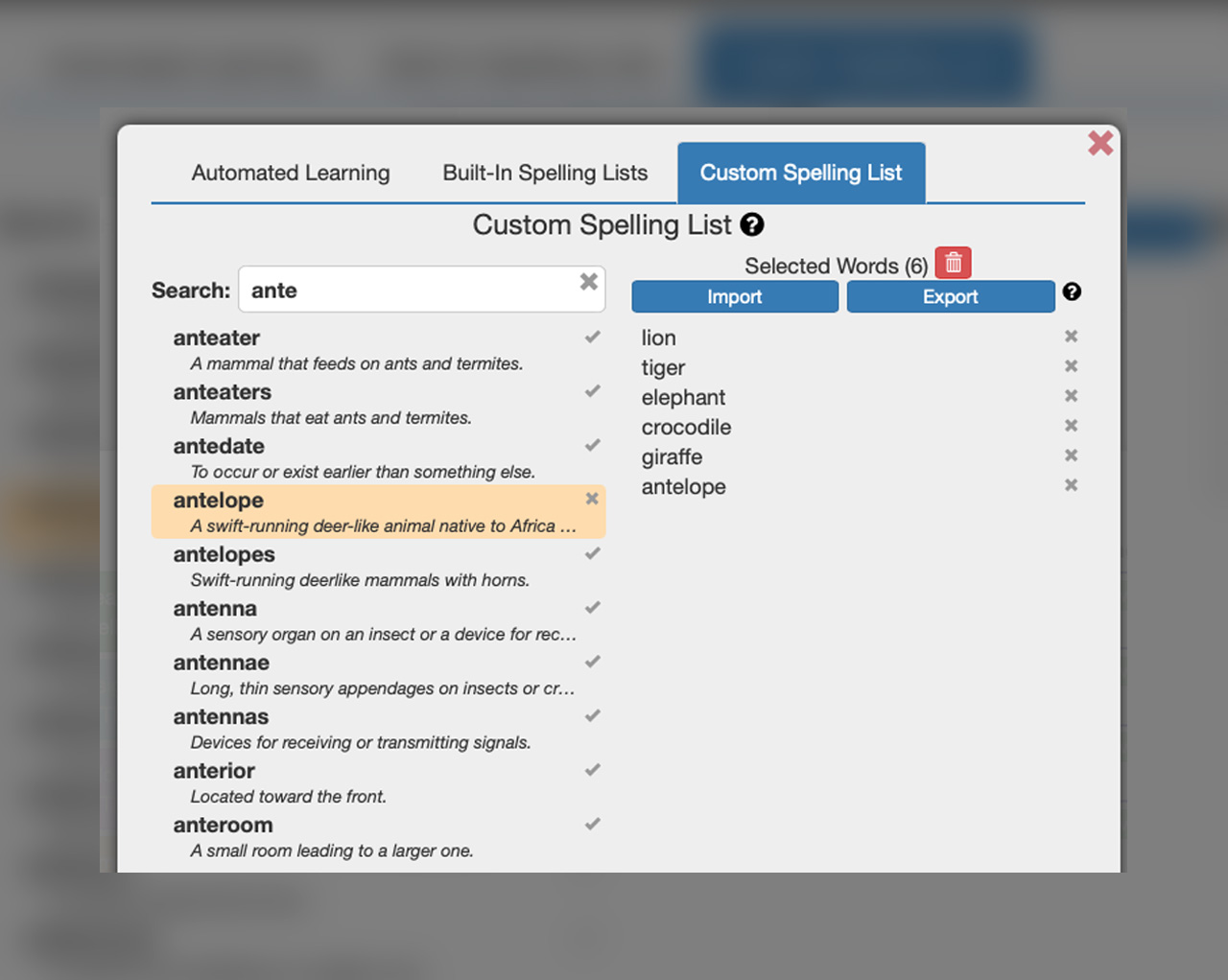
Create you own Custom Spelling Lists

Create Custom Lists from your own lists and 3rd party resources

Source your words from:

Spelling Force » Spelling Force

Quick and simple 

Use with 3rd party Write-in-book series or spelling lists

Spelling Force » Spelling Force
Add spelling words from any 3rd party book series you are licensed for

How to use

Custom Lists

How the Weekly Leaderboards Work

Motivation and Engagement​

The Spelling Force Leaderboards are designed to boost student motivation and engagement by giving dynamic feedback to the class. They create an opportunity for students in a class to work together.

How The Weekly Leaderboards Work​

Spelling Force Leader Board
Spelling Force » Spelling Force

Age Brackets

To ensure the fairest competition between classes, the leaderboard defaults to show results grouped by age brackets.

Improvement on last week rank

Drill down by Country and State

Use the icons at the top of the Leaderboard to drill down by Country and State.

I can't See My Class or Don't See The Expected Results

Only classes where the teacher or school administrator has set the age level of the class will be shown on the age-based leaderboard. This can be set using the “Edit Class Details” button on the class management screen. If you have not already done so, please ensure your classes have the correct ages now.

We employ standard deviation filters to ensure that results that are atypical for a student are discounted and not used for the calculation of class results. This methodology assumes that each student will build their skills in a progressive manner and guards against the possibility of others with higher skills speeds artificially inflating a student’s result by working in their account.

Classes with significantly more or less students than typical classes are not displayed in the Leaderboard.

Inactive classes, in which none or only a small number of students have completed questions during the week, will not be displayed on the Leaderboard.

View Previous Winners in history

Click the Calendar icon to view the Leaderboard results for all classes including your own from last week and previous weeks.

Leaderboard time periods

The Leaderboards are re-calculated each week at midnight Australian Eastern Standard Time (Sydney). Each answer is recorded in real time and feeds into this calculation.

See the results for your school only

When logged in students can view the results for all active classes at their school including their own. This makes it easy for you to have in-school competitions.

If Leaderboards are not for your school

Some schools may prefer that classes from their school are not displayed on the Leaderboard. If this is the case, the school administrator can simply uncheck the “Participate in competition” option on the My School screen of the School Administration menu. Please note we cannot remove results retrospectively.

Coming Soon

21/10/2025
Over the past few months we have release a swath of new features and enhancements that have made Spelling Force even more user friendly and powerful.

These upgrades include:

  • the addition of words to bring the vocabulary to 45,000+
  • dictionary definitions for each word
  • syllabification information
  • expanded Built-In word lists
  • the ability to create, save and reuse custom word lists
  • a practice mode

Over the coming months there will be a continuing flow of improvements and enhancements including:

  • A new system to show words to be learnt
  • A reward system to motivate and engage students
  • Expanded range of printable worksheet

The Spelling Force Spelling Bee Module

The Spelling Bee module enables interactive, secure spelling bees with administrative control over word lists, timing, and participants. Scalable from classroom to national/international events, it fosters proficiency and competition in a private environment.

1. Flexible Setup and Scheduling

Spelling Force » Spelling Force

The module provides granular control over when and how your spelling bee runs:
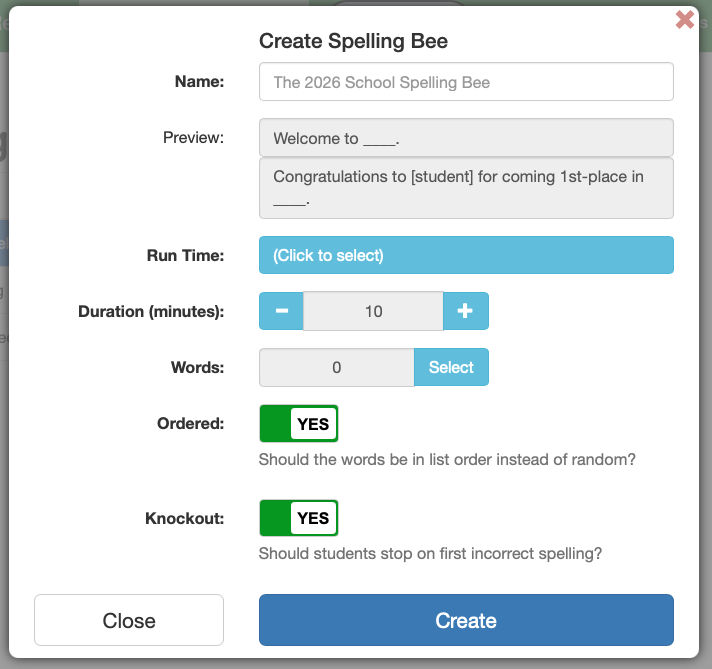
  • Custom Run Times: Set specific start and end dates and times. You can schedule bees for future dates or use the “Start Now” feature to override a scheduled start for immediate classroom use.
  • Duration Limits: Administrators can set a specific timeframe for students to complete their attempt once they begin, adding a layer of challenge and ensuring consistency across the cohort.

2. Advanced Word List Management

Spelling Force » Spelling Force

You have total control over the word lists used in each competition:
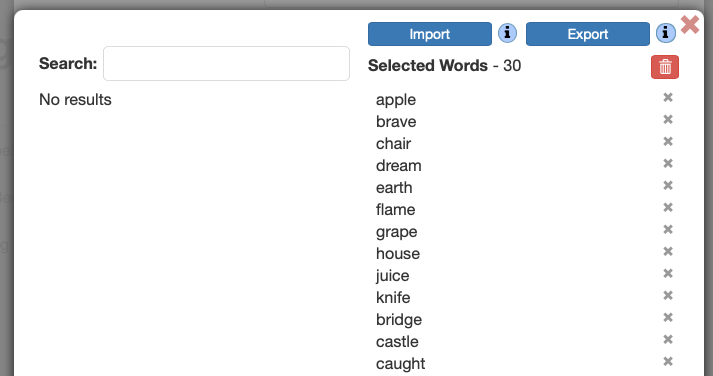
  • Simple Importing: Upload your own word lists via plain text (.txt) or dedicated Spelling Force List (.sfl) formats.
  • Flexible Delivery:
    • Ordered Mode: Words are presented in the exact sequence of your uploaded file.
    • Randomised Mode: The system can select a specific Word Count (minimum of 10) from a larger pool of words to present to each student.
    • Knockout Mode: You can choose to enable “Knockout” rules, where a single mistake ends the student’s attempt, or disable it to allow students to work through the entire list for practice and confidence building.

3. Student Experience and Resilience

Spelling Force » Spelling Force

The interface is designed to be intuitive for students while maintaining the rigor of a competition:
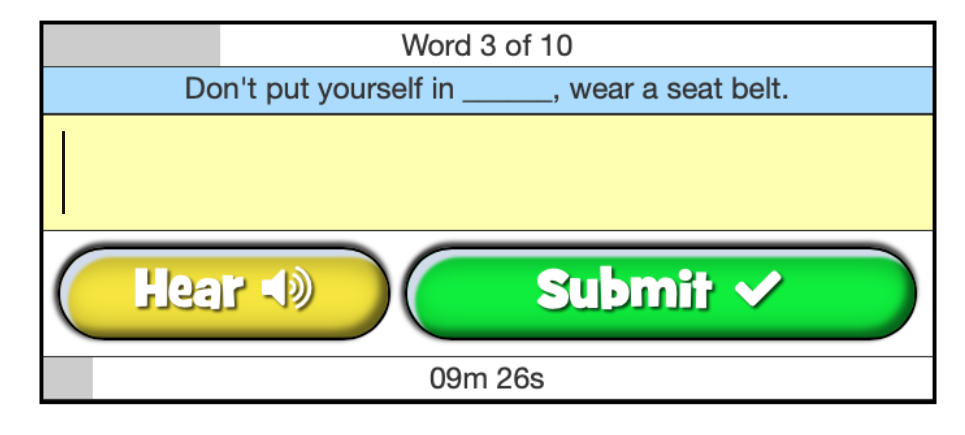
  • Progress Tracking: Students can see their progress through the word list and their remaining time via clear on-screen progress bars.
  • Time taken recording: The time taken for a student to complete a spelling bee is recorded, allowing a mechanism for awarding rank based on time where students are tied on the same result.
  • Disconnection Protection: Should a student accidentally close their browser or lose their internet connection, the system allows them to pick up where they left off provided their time has not expired.
  • Rules & Onboarding: Before the timer starts, students are presented with the specific rules of the spelling bee, ensuring they understand the stakes before they begin.

4. Results, Analytics, and Certification

Spelling Force » Spelling Force

Once the spelling bee concludes, the module provides comprehensive data for educators and rewards for students:
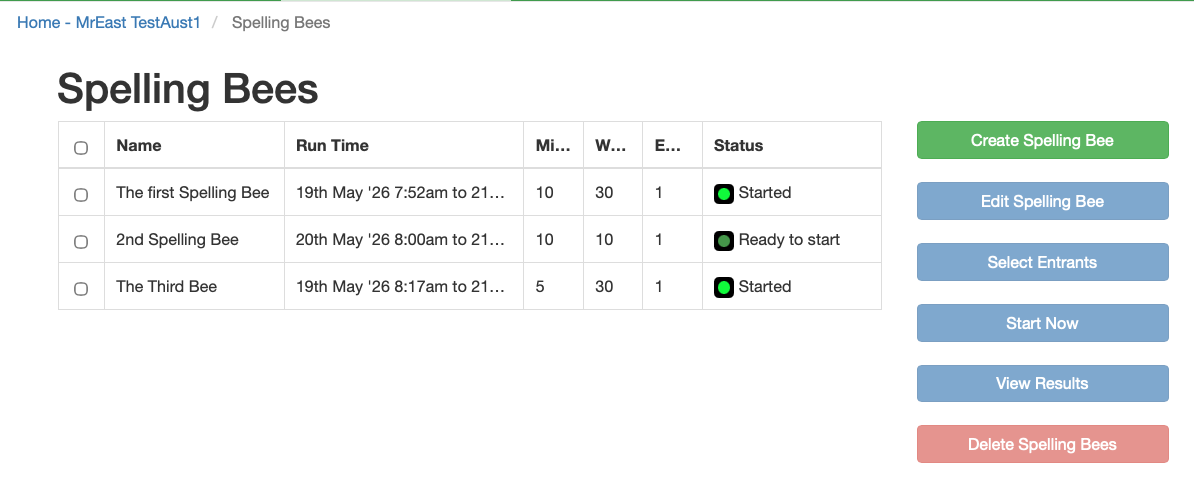
  • Teacher Analytics: Accessible via the “Tools & Reports”
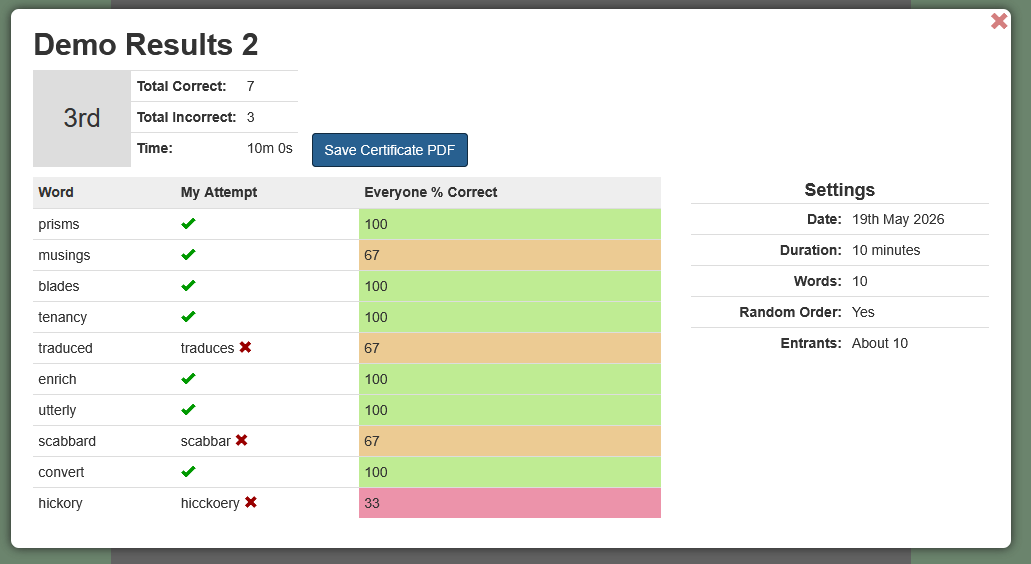
    • Teachers can view the ranking of each student and detailed word-by-word statistics to identify which words challenged the cohort most.
  • Student Feedback: Students can view their own score and rank directly from their home screen.
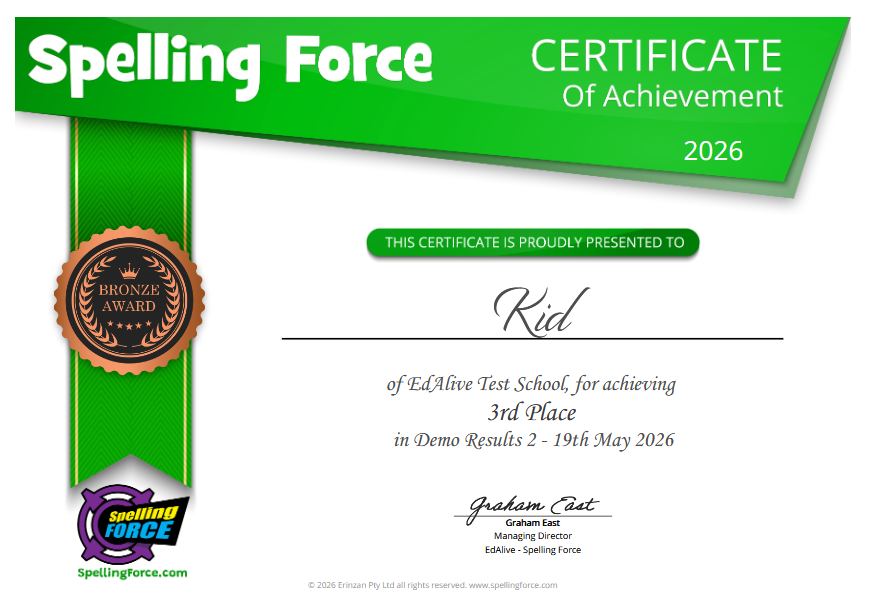
  • Automated Rewards: To celebrate success, the system generates a downloadable PDF award/certificate for participants, which can be printed and presented in assembly or sent home to parents.

5. Privacy, Data Security

Student data privacy is assured through the use of a RAB (Role Based Access) system that:

  • Limits access to Student data across a school to the designated Administrator.
  • Only allows holders of Teacher level access to work with Students in their own class.
  • With interschool competitions, permission for students to participate can only be granted by the Administrator of that school.

6. Inbuilt Integrity Safeguards and Proctoring

The Spelling Bee module incorporates robust proctoring features and technical safeguards designed to maintain the integrity of competition and minimise the opportunity for students to utilise external aids or dictionaries. Time is used as a critical metric to discourage the use of physical dictionaries or secondary devices.

  • Autocorrect Disablement: Spelling Force actively disables autocorrect functionality. This ensures that only the student’s manual input is accepted, preventing browser-based or operating-system-level tools from suggesting the correct spelling.
  • Direct Input Validation: Because the system requires active typing without assistive prompts, the student’s mastery of the word is the sole factor in their success.
  • Precision Latency Recording: The system records the exact time taken to answer each word. In the event of a tie where students have an equal number of correct answers, the system uses this data to rank them. This penalises the “delay” typically associated with looking up a word externally.
  • Fixed Session Durations: Teachers can set a strict Duration for the spelling bee. By limiting the total time available, students are forced to rely on immediate recall rather than taking the time to consult external aids.
  • Live Start Controls: If implemented the Start Now feature ensures that all students begin the challenge simultaneously under supervision, preventing early access to the word list, collaboration, or sharing of the word list.
  • Randomisation Option: Randomly chooses a small set of words from a larger “Word Pool”. Each student is presented with a unique selection of words preventing them from sharing answers or word sequences with peers.
  • Knockout Mode: When enabled, the “Knockout” setting provides an immediate exit upon the first error. This high-stakes environment discourages the “trial and error” approach and reinforces the need for genuine accuracy.
  • Resilience Tracking: While the system allows for reconnection if a student is disconnected, the countdown timer continues to run. This ensures that “disconnecting” cannot be used as a tactic to gain extra time to research a difficult word.

7. Analytical Oversight

Spelling Force » Spelling Force

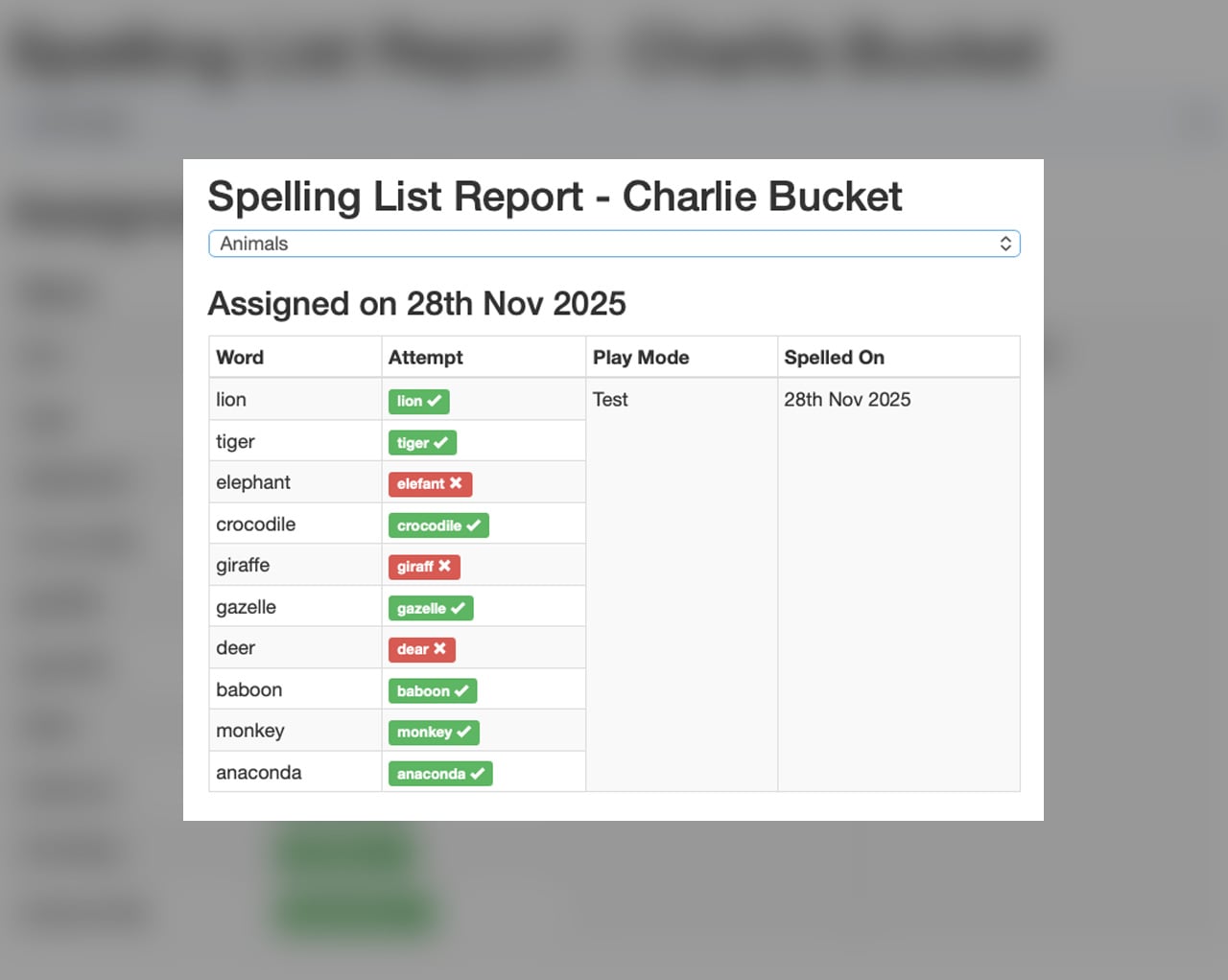
The “View Results” suite provides teachers with detailed statistics including: rank of student result, percentage of students spelling each word correctly and the ability to review results student by student.
8. Multiple schools or sites

We are currently developing a capability for the host of a spelling bee to issue Spelling Force Spelling Bee invitations or challenges to other schools using Spelling Force. The solution will feature:

  • The ability to scale spelling bees to large numbers of students in multiple locations
  • Rigorous privacy and security controls.
  • RAB (Role Based Access) controls to ensure that only duly authorised persons may access participating Student’s details and results.

9. Printable achievement certificates

Spelling Force » Spelling Force

At the completion of each Spelling Bee students can download a printable pdf certificate of participation.
10. Scaleable Multi-level Spelling Bees

The Spelling Force Spelling Bee module is designed to manage multi-level competitions of any scale, evolving from classroom challenges to national/international championships facilitated by its robust features and the forthcoming inter-school invitation system.

  • Starting with classroom-level spelling bees top performers can then progress to school-wide spelling bees, using consolidated or advanced word lists and then on to local, regional or even national/international championships.
  • Reducing Student numbers for each round are managed either through one school or multiple schools using the inter school challenge capability.
  • With the use of multiple schools there is no limit to the number of students that can participate.
  • This tiered methodology, from local to national/international, leverages the inbuilt proctoring features to create a comprehensive, secure, and scalable spelling competition framework.
  • Operators of large scale spelling bees may choose to add additional layers of proctoring/invigilation through the use of video based online tools including Zoom and YouTube.

11. Works on mobile devices too

Spelling Force » Spelling Force

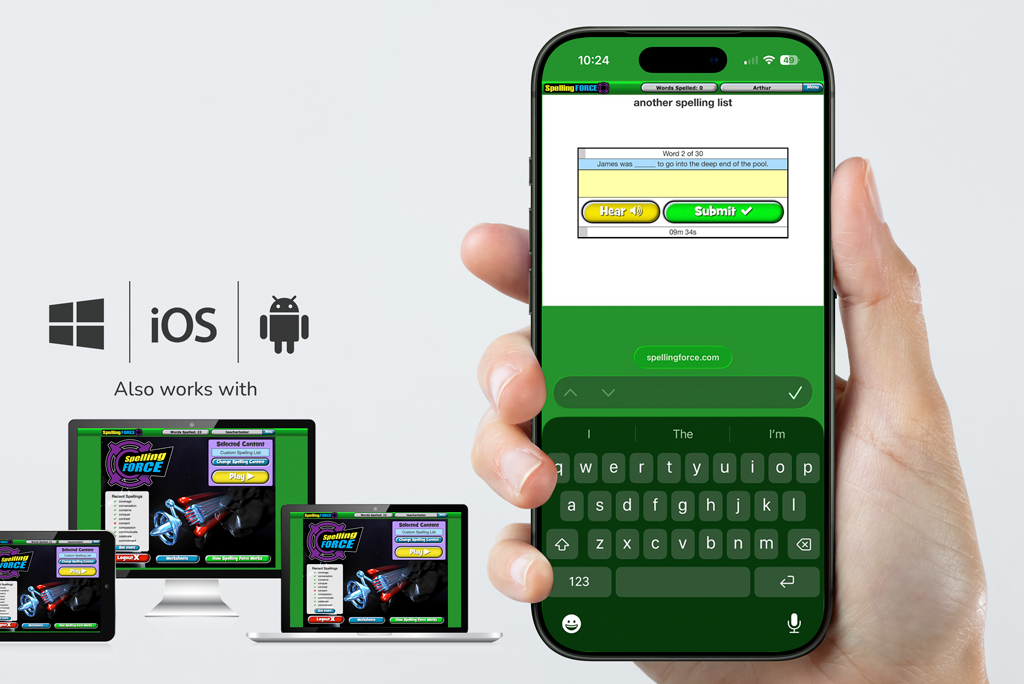
Spelling Force Spelling Bee will work on iPhones and Android and Windows phones as well as working on PCs, Macs, iPads, Android and Windows tablets. The popup keyboard allows for data entry.

Spelling Challenge

Starts Sunday February 22nd 2026 and ends 10:59am AEDT Saturday February 28th 2026.

Spelling Force » Spelling Force

Every Class Member Matters

Each word spelled by each and every student counts towards the class total. This is a spelling competition for the whole class and not just for speedy word smiths.

No subscription? Just start a FREE trial

If your school/class does not already have a subscription then start a FREE Trial. . Participation is completely free and without obligation. FREE Trials are normally limited to 30 days but during Term 4 2025 we will extend them to Monday 30th November to cover the Spelling Challenge.

Simple to participate

To get started just start a Free Trial for your class or use your existing subscription. Once you have set up the Student Accounts the Kids just start spelling and keep going!

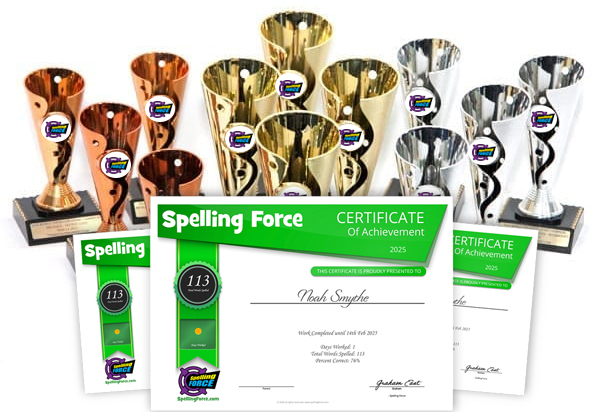
Trophies for the top 10 Classes. Certificates for all participants.

How does it work?

Once your class has started typing, the Typing Tournament system keeps track of your class’s progress and displays it in real-time and in rank order on the Leaderboards. The winners of the Typing Challenge are the Leaderboard winners for the week of the Typing Challenge.

Dates

Starts Sunday November 23rd 2025 and ends 10:59am AEDT Saturday November 29th 2025. The system uses GMT (Grenwich Mean Time)

Compete by speed or most words typed

There are separate Leaderboards measuring the average typing speed of your class and the total words typed by your class.

Compete by age group across your State

Each Leaderboards is broken down by country, state, school and age group.

Compete against classes in your schoolI

The Leaderboards allow users who are logged in to see the ranking of classes within their school allowing intra-school competition. Join up as many classes as you can and max the competition!

Spelling Force Trophies

Trophies, Awards and Certificates

At the end of the Typing Challenge week Gold, Silver and Bronze winners are awarded to the top 3 Leaderboard ranks for both fastest average speed and most words typed categorised by age-group and State.

Winning classes are announced

Results will be posted to the EdAlive website (edliave.com) during the week following the Typing Challenge.

Trophies for the Top 10 Classes.

The 10 Classes that spell the most words will receive a Spelling Challenge Trophy.

Certificates for each child

Teachers can print individual Typing Challenge Certificates for each student from their Teacher account.

All classes can celebrate their result

As the Leaderboards rank the results of all classes, you are able to celebrate the achievement of your class even if it is not a category winner.

Use the lead up weeks to prepare

Start using Typing Tournament right now to prepare the students for a final push in the Challenge Week. From one class to the whole school - all may participate in the Typing Challenge.

Challenge safeguards

No personal data exposed

Only results for classes are shown. No individual results are visible.

Difficult to game the system

We employ standard deviation filters to ensure that results that are atypical for a student are discounted and not used for the calculation of class results. This methodology assumes that each student will build their skills in a progressive manner. This mechanism guards against the possibility of others with higher typing speeds artificially inflating a class result by typing in their account or students randomly mashing the keys to artificially boost their typing speed and output.

Spelling Force » Spelling Force

India

Indian Enhancements

Voicing with both Indian and English accent

NCERT spelling list for the Marigold and Honeysuckle books

Added to Built-In-Lists: A list of 1,380 words giving full coverage of the words in book and chapter order from the Marigold and Honeysuckle books published in India by the National Council of Educational Research and Training (NCERT) for schools following the Central Board of Secondary Education (CBSE) curriculum.

Fry 1,000 and Dolch lists added to Built-In-Lists

As the Fry 1,000 and Dolch lists are commonly used in Indian schools we’ve added them to the range of Built-In-Lists.

Australian and UK Curricula included in the Built-In-Lists.

Full lists of the Australian Curriculum (Literacy Hub) and New South Wales Syllabus together with the UK Key Stage Spelling Lists are included. These lists can be used by Indian schools as a comprehensive spelling teaching resource.

EdAlive’s Indian partners are Indian Market Entry (IME)

588, Sector 14, Faridabad – 121006, India
+91 88001 06877
contact@indiamarketentry.com
visit: www.indiamarketentry.com